

In this article, I will list what I feel are the best e-ink writing tablets currently on the market and explain the reasons why I love them.
Unlike other ‘best e-ink tablet‘ webpages I’ve seen, I have actually bought, tested and regularly use the devices I review – here’s a picture of some of the tablets I own:
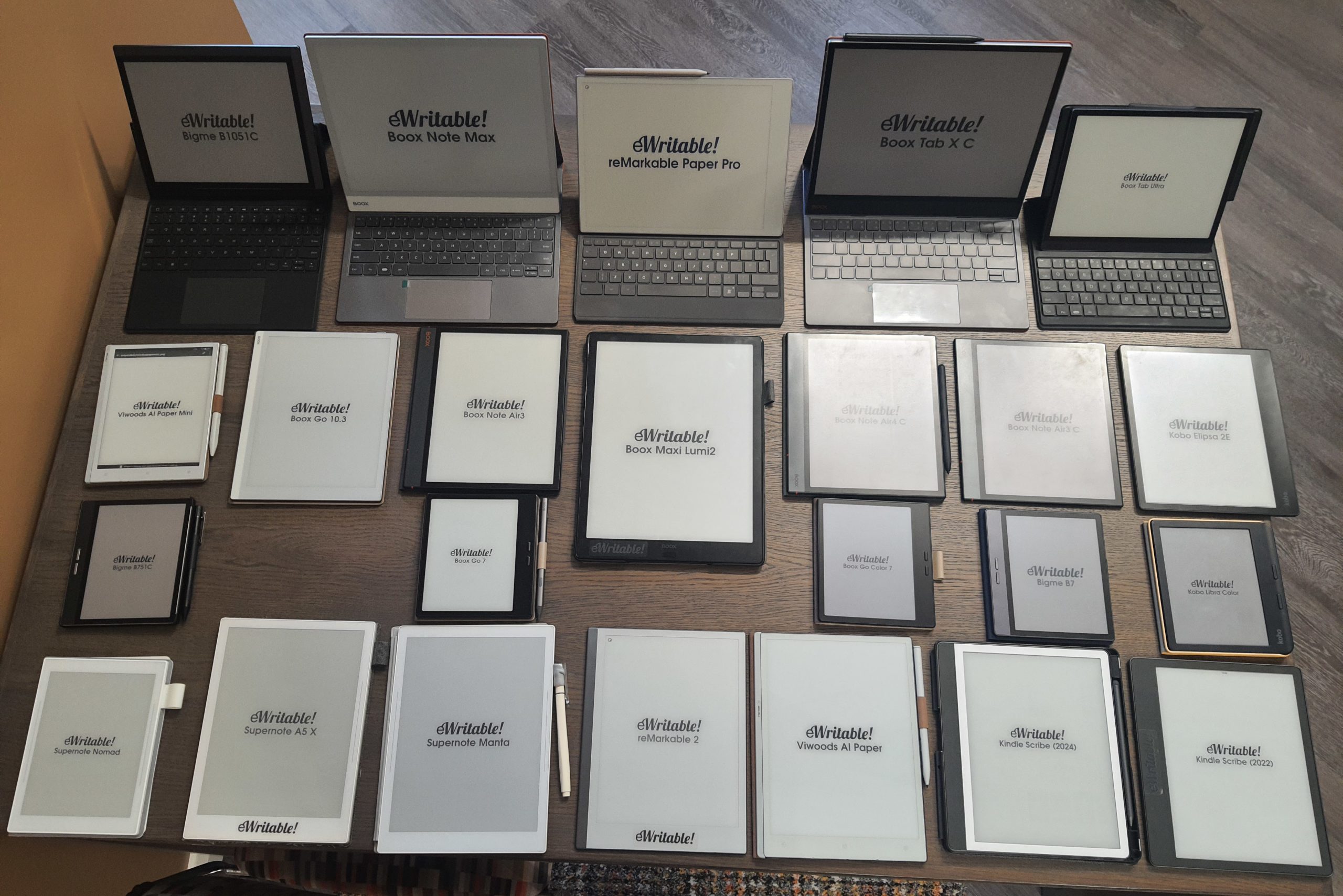
I think every single device listed on this page is awesome, but for very different reasons – it was very difficult to rank them (and I very often changed my mind) but in the end, I based it primarily on which device I use the most or regularly reach for when I want to take some notes.
However, please bear in mind that these are my own subjective views based on my own personal needs, preferences and workflows. Depending on your own requirements, any of these eNotes would be a good investment.
To further help your decision-making, I’ve built a tool for searching and comparing e-ink tablets that you may find useful.
What is an E-Ink Writing Tablet?
E-ink tablets (also known as eNotes and ePaper) are electronic tablets that can be used for writing and sketching using stylus-based input. They can be perhaps be thought of as an infinite stack of paper, and are often used as a replacement for traditional notepads and sketchbooks.
They differ from LCD and OLED devices such as Apple’s iPad because they use an E-ink display. This is the same technology used on Amazon Kindle screens, and it looks and feels like real paper (well, as close as you can get from a digital device).
Moreover, they don’t emit light, so they can be more comfortable for the eyes and can be viewed clearly outside, even on sunny days. And they usually consume very little power, so can last for several days (and even weeks) without needing a recharge.
The main drawback is that they have a low refresh rate, which means that although they are ideal for reading, writing, and sketching, they are not ideal for looking at things that are constantly moving, such as games or videos (although some manufacturers have developed proprietary refresh technology that is closing this divide).
You can get a good overview of the advantages and disadvantages of e-ink tablets in my Beginner’s Guide and Buyer’s Guide.
Best All-Round Monochrome E-Ink Tablet: Boox Go 10.3
Pros
Tablet:+ Gorgeous design
+ Super thin
+ 300PPI screen
+ Great battery life
+ Great tactile writing experience
+ Audio (Speakers & Mic)
+ Android (supports 3rd-party apps)
+ Great reading software
+ Fantastic note-taking software
+ Very powerful and versatile
Firmware review
+ On the cutting-edge of e-ink technologies
+ Wide range of products
+ Regular firmware updates
Brand overview
Cons
Tablet:- No frontlight
- Stylus falls off tablet/folio easily
- Folio 'stand configuration' is unstable
- Steeper learning curve
- Not as intuitive as it could be
Firmware review
- Customer support can be variable
- Unfavourable returns policy when buying direct from Boox
Brand overview
Excellent monochrome Android tablet
In my opinion, the best all-round e-ink tablet currently on the market is the Boox Go 10.3.
It is a 10.3″ monochrome tablet with high resolution and pixel density (300PPI) which makes everything on the screen look sharper and crisper than previous generation devices.
In addition, text (when reading) and ink strokes (when writing) feel closer to the surface of the screen, and one of the main reasons for this is that is that it doesn’t have a frontlight (or any inherent way to illuminate the screen in dim/dark environments).
For those that must have a frontlight, the Boox Go 10.3 is not for you, so scroll down to see other recommendations.
The Go 10.3 is also one of the thinnest tablets on the market (just slightly thinner than the reMarkable 2), is fairly light, and has an elegant design. It has Bluetooth, Wifi, speakers, a microphone, G-Sensor (for auto-orientation) and a solid CPU (2.4GHz octacore), memory (4Gb) and storage (64Gb), as well as a battery that lasts for around a week (with daily use).
It runs Android 12, and has access to the Google Play Store, so third-party apps can be installed (however, as with all e-ink tablets, there is no guarantee that they will perform well on the e-ink screen).
And Boox’s native apps for e-reading and note-taking are arguably the most feature-rich and capable of any brand. However, this does mean that there are an awful lot of configuration options, and combined with Boox’s user interface (which has seen recent improvements but is still a bit non-intuitive in places), it can feel a little overwhelming. Although there is a fairly steep learning curve to getting to grips with the software, the multitude of options means that Boox tablets also have a lot of a versatility.
And this versatility is the main reason that I recommend the Boox Go 10.3 (and Boox tablets in general). They fit a wide variety of use cases really well. However, although I used the Go 10.3 as my daily driver for around 8 months (and still think it is a fantastic e-ink tablet), it is no longer my go-to tablet – that accolade goes to the Supernote A5X2 Manta (see below).
The only thing that I really don’t like about the Boox Go 10.3 is that there is no natural place for the stylus. It sticks to the side of the tablet magnetically, but falls off with the slightest nudge. And the magnetic flap that comes with the case does not do a great job of holding it in place either.
Alternatives (currently available)
A good alternative is the Viwoods AI Paper. The hardware is great (and I particularly like the folio). The note-taking software is really good and has some unique features (such as linking notebooks to the calendar, and analysing your handwriting using AI), but is not quite to the level of Boox (particularly with regards to the native reading app). However, Viwoods seem to be making rapid improvements to their software.
Alternatives (second-hand markets)
Although rather dated now, a decent monochrome e-ink tablet is the Boox Note Air2+*, which also had a frontlight. There is also the newer Boox Note Air3, which I REALLY liked, however not many of these were produced and they are now unavailable.
Best All-Round Color E-Ink Tablet: Boox Note Air5 C
Pros
Tablet:+ Great CPU Performance
+ Frontlight
+ Color screen
+ Fast refresh rates
+ Android 15
+ Audio (Speakers & Mic)
+ MicroSD card slot
+ Fingerprint scanner
+ Optional keyboard folio
+ Physical page-turn buttons
+ Android (supports 3rd-party apps)
+ Great reading software
+ Fantastic note-taking software
+ Very powerful and versatile
Firmware review
+ On the cutting-edge of e-ink technologies
+ Wide range of products
+ Regular firmware updates
Brand overview
Cons
Tablet:- Darker screen
- Stylus is too long and activates physical buttons
- Location of USB Port
- Quite heavy
- Keyboard folio has issues
- Steeper learning curve
- Not as intuitive as it could be
Firmware review
- Customer support can be variable
- Unfavourable returns policy when buying direct from Boox
Brand overview
Excellent All-Round Color Android Tablet
The Boox Note Air5 C (NA5C) is, in my opinion, one of the most versatile and useful e-ink tablets that you can buy right now.
The NA5C has a colour screen, frontlight (with warmlight), speakers, microphone, and Bluetooth. It has a fast 2GHz octa-core processor, BSR (for faster refresh rates), 6Gb RAM and 64Gb storage. There are very few other e-ink tablets that can compete with these top-notch specs. It also performed extremely well on my CPU benchmark tests. However, this power does come at a cost of battery life when compared with other e-ink tablets that do not utilise super-fast refresh technology.
The inherent nature of the colour Kaleido 3 screen does mean that it is visibly several shades darker than a monochrome e-ink screen, resulting in lower contrast if the frontlight is turned off. Color e-ink also has a few other drawbacks when compared with monochrome.
In terms of software, it runs Android 15 and has access to the Google Play Store, which means that third-party apps (e.g. Google Chrome, Facebook, Kindle etc.) can be installed on it. And Boox’s own native e-reading and note-taking apps are also top-class.
So, if you are looking for the e-ink writing tablet that is on the cusp of e-ink technology and offers a great deal of power and versatility at a reasonable price, then Boox’s Note Air5 C is a very good choice.
Alternatives (currently available)
Bigme are an alternative company that manufacture color e-ink tablets, which are very similar to those of Boox (check out the B1051C, which is lighter and thinner than Note Air5C and has an integrated camera). Bigme tablets also run Android, have powerful hardware (in some cases more powerful than Boox), and they use their own proprietary fast refresh technology (xRapid). However, I find the Bigme software to be a bit buggy and non-intuitive in places.
The previous iteration of the Boox Note Air (the NA4C) is not a whole lot different to the NA5C. It doesn’t have page-turn buttons or connectors for a keyboard folio and runs an older version of Android (13), but other than that it is virtually the same tablet.
Alternatives (second-hand markets)
Before the Note Air4 C was the Note Air3C, which is very similar but has slightly poorer processing power and battery life. Although it is no longer being manufactured, it might be possible to pick up a second-hand unit.
Best Dedicated Note-Taker: Supernote A5X2 (Manta)
Pros
Tablet:+ Modular design (replaceable parts)
+ Lightweight and durable
+ Good battery life
+ 300PPI screen
+ Touch-sensitive navigation/function bars
+ Lightweight 'half-folio' (with physical attachment)
+ Ceramic "NeverReplace" nibs
+ Clean, smooth, and intuitive
+ Excellent note-taking app
+ Digest feature for organising book excerpts is very powerful
+ Nice selection of additional apps
+ Quick and intuitive navigation
+ Ability to work entirely offline (inc. option to use a self-hosted private server)
Firmware review
+ Great customer service
+ Innovative
+ Focus on sustainability
+ Discounts for students, first responders, veterans etc.
+ HIPAA-compliant
Brand overview
Cons
Tablet:- LAMY stylus is too big
- No frontlight
- No additional hardware (speakers, microphone, fingerprint scanner etc.)
- Quite expensive
- Limited support for third-party apps
- Not as 'snappy' as some other brands
- No dictionaries
Firmware review
- Mainly focused on the writing aspect
- Some delays with product release schedules
- Occasional slow responses from customer service (during busy periods)
Brand overview
Excellent pure note-taking tablet
Whilst Supernote e-ink tablets have nowhere near the raw processing power and flexibility of those manufactured by Boox, they have been designed to do one task (note-taking) exceptionally well.
And it is for this reason that the Supernote Manta is my current daily driver (and it’s predecessor, the Supernote A5X was my constant companion for many years). As a note-taking device, it is just so effortless to use, just like my traditional paper notebooks were. I simply open my notepad, flick to the next blank page and write. And with the latest generation, Ratta Supernote have introduced easily swappable batteries and motherboards as a way to increase their longevity (the only e-ink tablet manufacturer to offer this feature).
The native note-taking software has some really nice and unique features that I find really useful. For example, when I start a new page, I write the title at the top, and then lasso-select it and turn it into a heading and the Supernote automatically builds me a Table of Contents based on my headings. I can also draw a five-pointed star anywhere on the canvas to mark the page as important and then do a search for all my stars so that I can action them. There is a touch-sensitive swipe bar on the right-hand bezel which brings up a quick access menu whatever I am doing so that I can quickly flick between notebooks and documents. And the handwriting search feature is supremely fast.
Whilst a Supernote tablet is a very innovative and useful for note-taking and writing, it is not designed to replace any of the tasks that you would perform on your computer or laptop. True, it has an email client, and a calendar (that syncs with your Google/Outlook calendar). But these are provided more for convenience rather than productivity – it’s useful to check your email box and schedule but you wouldn’t want to be writing lengthy emails using the on-screen keyboard.
And the native reading app is pretty decent, but not as good as the likes of Boox or Kindle devices. You can install the Kindle app, but the Supernote lacks a frontlight, so reading can potentially be a bit uncomfortable if there is not enough ambient light.
In addition, for me, many of the things that should perhaps be considered drawbacks of the Supernote (lack of versatility, monochrome screen, no frontlight, etc.) actually add to the tablet’s charm because it provides a natural, pleasant and minimalistic writing experience without any distractions.
I just find the speed with which I can navigate my files, the intuitive options for structuring and organising my notebooks, and the fact that it is extremely lightweight but feels very sturdy and robust is perfect for my own use case. If, like me, all you want to do is write, the Supernote Manta is incredible. But if you are looking to do more than this, such as browsing the web, installing third-party apps, working with text etc. there are better options available.
Alternatives (currently available)
Ratta Supernote also manufacture a smaller (and less expensive) 7.8″ tablet called the Supernote Nomad. Many people prefer the smaller footprint because it can fit more easily into a handbag or satchel, however, I personally find the smaller screen size to be too restricting for the long-form notes I like to write.
For reasons mentioned previously, the Viwoods AI Paper (and AI Paper Mini) is a good alternative note-taking tablet. It is light, has an awesome folio, and is very pleasant to use. It also has some unique features that are exceedingly useful. For example, you can link your notebooks to the native calendar and generate summaries of your notes using AI.
Similarly, the Boox Go 10.3 is great for note-taking tasks (and more) but lacks the writing specialism of Supernote. The Supernote has been designed from the ground up as a note-taking device, and the Boox Go 10.3 (whilst still a great note-taking tablet) has been developed to do much more, which kind of takes the focus off writing a little.
Alternatives (second-hand markets)
The older Supernote A5X is still an excellent note-taking device, and still receives firmware updates. If you can find a cheap second-hand unit, it is well worth buying in my opinion.
Best Budget E-Ink Tablet: Kindle Scribe (2024)
Pros
Tablet:+ 300PPI
+ Frontlight
+ Great tactile writing feel
+ Fantastic stylus
+ Fantastic reading software
+ Active Canvas allows handwritten annotations within the text of ebooks
+ Very simple and intuitive to use
+ Clean user interface
Firmware review
+ Peace of mind from large brand
+ Decent customer service
+ Good returns policy
Brand overview
Cons
Tablet:- Quite heavy
- Frontlight bleeds slightly under right bezel
- No additional hardware (speakers, mic, MicroSD, fingerprint scanner etc.)
- Overall lack of versatility
- Limited features in note-taking software
Firmware review
- Tied into Amazon ecosystem
- Limited firmware capabilities
- Mainly focused on the reading aspect
Brand overview
A good budget e-ink tablet
The Kindle Scribe (2024) is essentially an Amazon Kindle e-reader, with basic note-taking capabilities bolted on to the side.
It has a 10.3″ (A5-sized) screen with a frontlight and an exquisite tactile writing experience. And you can get all this for around $300 (although I recommend waiting for an Amazon sale such as Prime Day or Black Friday to get even better deals).
So, what’s the catch?
Whilst the clarity of the screen, the writing experience, and the reading software are all fantastic, the native note-taking app is very rudimentary and unsophisticated compared to other tablets on this list.
When the first Kindle Scribe was launched in quarter 4 of 2022, the native note-taking software was as basic as you could get. You could write stuff using a choice of three pens, and export it as a PDF, but that was pretty much the limit of its capabilities.
Since that time, the software has gradually improved with firmware updates – more brushes have been added, there’s a basic lasso-select tool, there’s handwriting-to-text conversion, and a page overview. But these are all things that the competition provide as standard, and the Scribe is still a long way behind other brands in terms of note-taking features.
Kindle is also a closed operating system, so you can’t install third-party apps – you can’t really do much more other than reading and writing (which is not a bad thing, but is something to be aware of). I should add that I really like the Kindle reading app, and recent software developments now mean that you can write handwritten notes in-line with the text you are reading – this is exceedingly useful.
But for basic note-taking (such as todo lists and consolidating paper notes), it works absolutely fine. There’s just a lack of features to structure and organise your notes and notebooks, so if you take a lot of long-form notes that span many pages, you’re likely to get frustrated quickly.
Overall, you get decent hardware (great screen and pleasant writing experience) and a well-developed e-reading app from a well-known brand and for a much more affordable price than many other 10.3″ e-ink tablets. But the note-taking software is rather primitive by comparison.
Alternatives (currently available)
I want to note that when the 2024 version of the Kindle Scribe was released, I was still recommending the 2022 version here as the best budget option, because the 2024 version was almost identical to the 2022 version yet commanded a much higher price (around $450). A year later, the Kindle Scribe 2024 is less than $300, and more readily available (which is why it is now my top pick in this category), but if you can find a Kindle Scribe 2022 for even less, then it’s still a good option.
The other affordable options require a drop in screen size.
The cheapest e-ink tablet on the market is the Mobiscribe Wave*, priced at around $250 (I’ve even seen it reduced to half that at times). It has a 7.8″ screen and Android operating system. It is also one of only a handful of waterproof tablets available. However, I’m a little concerned about how long MobiScribe will be around for. Whenever I try to contact them for information I never receive a reply, and many users on Facebook have complained about their communication.
Other options are the Boox Go 7 and Boox Go Color 7 – 7″ monochrome and colour devices, respectively. These offer a great reading experience, but not-so-great writing experience, in my opinion. The Bigme B7 is also a 7″ colour tablet, that has a slightly better writing experience, but (as previously mentioned), the software is a bit janky.
Alternatives (second-hand markets)
I’ve seen second-hand units of the Boox Note Air2+* go for less than $300 on eBay. Whilst it is quite old (2021), it is still a very nice tablet.
Best Large-Screen Tablet: Boox Note Max
Pros
Tablet:+ Large 13.3" screen (great for viewing PDFs)
+ Very thin
+ 300PPI (excellent screen quality)
+ Great CPU performance
+ Fast refresh rates
+ Optional keyboard folio
+ Audio (speakers and microphone)
+ Android (supports 3rd-party apps)
+ Great reading software
+ Fantastic note-taking software
+ Very powerful and versatile
Firmware review
+ On the cutting-edge of e-ink technologies
+ Wide range of products
+ Regular firmware updates
Brand overview
Cons
Tablet:- Larger footprint/weight
- Relatively expensive
- No frontlight
- Frequent faint ghosting (may be fixed with software update)
- Keyboard folio has design flaws
- Slight build imperfection (on my unit)
- Steeper learning curve
- Not as intuitive as it could be
Firmware review
- Customer support can be variable
- Unfavourable returns policy when buying direct from Boox
Brand overview
Fast 13.3" 300PPI monochrome tablet
The most popular e-ink tablets have a screen size of around 10.3″ (around A5-sized), which seems to be the happy medium between readability and portability.
However, PDFs are often designed to be printed on A4 paper, which means they can sometimes look a bit scrunched up on a 10.3″ screen, particularly if columns and smaller fonts are used.
There are software solutions for this issue (e.g. viewing half a page of a PDF at a time in landscape mode) but for those that will be reading/annotating a lot of PDFs, it is well worth considering an e-ink tablet with a 13.3″ (A4-Sized) screen. You are able to read PDF documents in exactly the way that were intended to look, and personally, I love the extra real-estate on the note-taking canvas.
But there are a few drawbacks, most notably the additional weight and footprint of these tablets, as well as how expensive they are.
In addition, 13.3″ tablets are a very rare breed – there’s very few models on the market.
For a long time, the Boox Tab X was the only real choice in this form factor, but Boox have recently released some newer models; the Note Max and the Tab X C.
Personally, the Note Max is my top choice. It doesn’t have a frontlight or colour screen (like the Boox Tab X C), but has better screen clarity and writing feel, in my opinion.
Like all Boox tablets, it has high hardware specs (including BSR) and versatile software.
Alternatives (currently available)
The Boox Tab X C is a color 13.3″ tablet with BSR and a frontlight. It is like a bigger version of the Boox Note Air4 (but with a less pleasant writing experience), and there is an optional keyboard folio for typed input. If you’re looking for a colour 13.3″ e-ink tablet, this is probably the only choice (there is the Fujitsu Quaderno, but I’ve found it very difficult to get information about this device or purchase one).
The reMarkable Paper Pro is an 11.8″ color e-ink tablet. Not quite A4-sized, but larger than A5. The problem with reMarkable is that the software is very limited – it has an okay note-taking app, but the reading app is quite poor. They are one of the few brands that offer dedicated keyboard folios with their products (and they are very nice peripherals) and the only brand that supports editing notebooks from other devices with their desktop and mobile apps (text only, not handwriting). But they are also the only brand that charge a subscription for certain features.
Alternatives (second-hand markets)
The first e-ink tablet I bought was a Boox Max Lumi2 (the predecessor to the Boox Tab X) and I really enjoyed using it – as I said the extra screen real estate is very useful. I’ve seen second-hand units sell for around $500 on eBay. And, of course, the Tab X is still a great 13.3″ e-ink tablet even though it is out of production.
Best E-ink Laptop: Boox Tab Ultra C Pro
Pros
Tablet:+ Great CPU Performance
+ Color screen
+ Fast refresh rates
+ Frontlight
+ 300PPI
+ Speakers & Microphone
+ MicroSD card slot
+ Fingerprint scanner
+ Keyboard folio
+ 16Mp camera
+ Physical volume/page turn buttons
+ Android (supports 3rd-party apps)
+ Great reading software
+ Fantastic note-taking software
+ Very powerful and versatile
Firmware review
+ On the cutting-edge of e-ink technologies
+ Wide range of products
+ Regular firmware updates
Brand overview
Cons
Tablet:- Short battery life
- Poor chassis design
- Darker screen
- Very heavy
- Expensive
- Limited use cases
- Steeper learning curve
- Not as intuitive as it could be
Firmware review
- Customer support can be variable
- Unfavourable returns policy when buying direct from Boox
Brand overview
Powerful colour tablet with keyboard folio
SIDENOTE: Before I go into detail about the Tab Ultra C Pro, I just want to clarify that although there have been technological advances in recent years that have reduced the inherent limitations of e-ink screens, they still do not have the same quality or performance of a regular LCD/LED screen.
So, although this section is for the ‘best e-ink laptop’ it is the best within the limitations of the e-ink technology itself and within the context of what is available on the market. Don’t believe anyone that tells you that you will get the same experience from an e-ink laptop/tablet that you would from an LCD/OLED equivalent, because it simply isn’t true.
With all e-ink devices, there are far less colours and much slower refresh rates, so anything that involves a lot of graphics or movement on the screen (such as watching a video) will be much lower quality. Fairly static applications (such as reading and writing) work fantastic on e-ink, and recent innovations (such as BSR) means that things like scrolling down a webpage are now much smoother (with a little tinkering). But whilst it is technically possible to watch video, the experience is less than ideal because the quality will be poor, and at some point, it will probably suffer from ghosting.
You can use an e-ink device for many simple tasks that you might have previously carried on a computer or laptop (such as email, word processing etc.) – and many people do – but, in my opinion, it can never fully replace an LCD/OLED computer – not with the current technology, anyway.
In terms of sheer power and versatility, the Boox Tab Ultra series is the creme-de-la-creme of e-ink devices. And the newest model in this product range is the Boox Tab Ultra C Pro (TUCP). This is about as close as you can get to a regular laptop with an e-ink screen.
It shares many of the features of the Boox Note Air4 C, including a 10.3″ colour screen, and the same native software.
However, the specs have been souped-up a little, with a 2.8GHz octa-core processor, 6Gb of RAM, and 128Gb of storage space. This makes the performance a little snappier, particularly if you do a lot of multitasking or run resource-hungry apps. In addition, it has 16Mp rear-facing camera, a bigger battery, and an optional keyboard/trackpad folio (which will set you back an additional $150).
Whilst the keyboard folio is touted as optional, I can see very little reason to choose the TUCP over the NA4C without it – the integrated keyboard folio and laptop-style format should be the main reason for choosing the TUCP.
This is because the NA4C can do pretty much everything that the TUCP can do (except take photos/scan documents). You can even hook up a Bluetooth keyboard for typing. It’s true that performance is slightly faster on the TUCP and the battery life is slightly longer, but you’re paying quite a lot extra for these small improvements.
And the TUCP is not without drawbacks as well. There are the same inherent issues with the Kaleido 3 screen and battery life that are present with the NA4C. In addition, the TUCP is particularly heavy and not as comfortable to hold/carry as the NA4C. And the chassis has not been designed all that well – the edges are quite hard and angular (unrounded) and camera protrudes out of the rear panel a few millimetres so that the tablet doesn’t lie flat. And whilst the NA4C has a scratchy and more paperlike screen for writing on, the TUCP has a smoother, glassier tactile feel.
Having said this, the TUCP is still one of the most powerful and laptop-like e-ink tablets on the market.
Important note: As of November 2025, I’m beginning to think that the Boox Note Air 5C is a better option for this category. It is newer (the TUCP is now a few years old), has a keyboard folio, and runs Android 15. It’s not quite as powerful in terms of CPU performance (but isn’t far off) and does not have a camera, but it is lighter and more ergonomic. The reason I haven’t updated this section yet is that I am still a little indecisive about it, however, I felt it only fair to let you know what I’m currently thinking.
Alternatives (currently available)
Another choice in this category is the Bigme B1051C*. It is thinner, lighter, nicer to hold, and has a more recent version of Android, but (as previously mentioned) the Bigme firmware is not quite as good as Boox.
The Boox Note Max and Boox Tab XC also have an optional keyboard folio and are powerful enough to be used in this capacity. However, they are obviously bigger and less portable, and the keyboard folio has some pretty big issues.
Alternatively, the Boox Note Air4C also has a lot of power under the hood, and it is possible to hook up a Bluetooth keyboard for typing (there’s no dedicated keyboard folio).
Alternatives (second-hand markets)
There have been two previous iterations of the Boox Tab Ultra series, and although I occasionally see some stock of new units, they are usually more widely available on second-hand markets. The two models are the Boox Tab Ultra, and the Boox Tab Ultra C* (without the Pro).
Best E-Ink TypeWriter: reMarkable 2
Pros
Tablet:+ Beautifully designed
+ Fantastic keyboard folio
+ Very thin
+ Nice tactile writing feel
+ Accessories feel premium
+ Simple, clean, & intuitive user interface
+ Great desktop/mobile companion apps
+ Wide variety of highly-optimised brush tools
+ Great for text input (using keyboard folio)
+ Document scanner (mobile app)
+ Disk encryption
+ Enterprise-level management tools
Firmware review
+ Good returns policy (50-days)
+ ISO27001 security certification
+ Enterprise-level features
+ Decent customer service
+ Notebooks can be edited via desktop/mobile apps (text only, and subscription required)
+ Very comprehensive online knowledgebase
Brand overview
Cons
Tablet:- No frontlight
- Occasional performance bottlenecks
- No additional hardware (speakers, mic, MicroSD, fingerprint scanner etc.)
- Quite expensive (for what it offers)
- Ongoing subscription costs (for some features)
- Lack of versatility
- Unsophisticated reading app
- Limited note-taking features
- Noticeable flashes between screen transitions and page-turns (on newer devices)
Firmware review
- Mainly focused on note-taking
- Tied into reMarkable ecosystem
- Monthly subscription required to access certain features
- Accessories are expensive
- Limited firmware capabilities
Brand overview
Great E-Ink Typewriter
The reMarkable 2 kind of sits in the same category as the Supernote A5X2 Manta – it is a focused and dedicated note-taking device.
Like the Supernote, it has a locked-down operating system so that third-party apps cannot be installed.
It is designed to be a writing tablet and the native note-taking software is fairly good, however, the native e-reading software is comparatively poor and struggles with large documents. Apart from reading, note-taking, and annotating, the reMarkable cannot really be used for much else. This is more of a fact than a negative – if these applications are all you need then the reMarkable offers a pleasant, user-friendly and minimalist experience.
There is also an optional keyboard folio that can turn the reMarkable 2 into what might be described as a digital typewriter.
In addition, reMarkable probably has the best companion app, which allows you to view and edit the text of your notebooks from other devices, such as your phone and computer (please note, that you can only edit typed text, not handwriting).
In this capacity, reMarkable is perhaps the best multi-platform note-taking and typewriting tablet. It is also very thin, and looks extremely sleek and elegant.
However, the main drawback is that you do get sucked into reMarkable’s ecosystem, and although the tablet itself is reasonably-priced, you end up paying more with the upsells. For example, although I concede that the keyboard folio is gorgeously designed, in my opinion it is not worth the $200 price tag – and there are no third-party alternatives.
Similarly, whilst their Connect subscription is not mandatory to use the reMarkable tablet, it is required if you want to access many of the features the desktop/mobile apps. So, there is an ongoing cost there as well (that, potentially, reMarkable could choose to increase at any moment).
Alternatives (currently available)
reMarkable also sell a larger color-screened tablet with a keyboard folio called the reMarkable Paper Pro. Note-taking and typing tasks are great (and the keyboard folio is gorgeous) but, again, the software is limited. In addition, it carries a very hefty price tag for what it is.
There is also the previously-mentioned Boox Tab Ultra series (and the NA4C with a Bluetooth keyboard attached), but this would perhaps be overkill for this use case.
And there are also dedicated e-ink mini-typewriters like the FreeWrite*, but these go beyond the scope of this article, and I’ve never used one so am not qualified to provide an opinion.
Alternatives (second-hand markets)
None that I can think of (unless you buy one of the above options second-hand).
Best ~8″ Tablet: Viwoods AI Paper Mini
Pros
Tablet:+ Nice design
+ Portable (small, thin, and light)
+ Frontlight
+ Fingerprint scanner
+ Thin and light folio
+ Touch sensitive buttons on bezel
+ Support for third-party Android apps
+ AI analysis of notebooks
+ Capable note-taking software
+ Notebooks integrate with calendar
Firmware review
+ Excellent returns policy
+ Very good customer service
+ Some smart and useful innovations
+ Good attention to detail
+ Have great potential
Brand overview
Cons
Tablet:- Stylus rattles
- No additional hardware (speakers, MicroSD etc.)
- Tablet can slip out of folio a little
- Battery life is below average
- AI features require Internet connection
- AI commands (inc. handwriting conversion) can only be performed on 5 pages at a time
Firmware review
- Relatively new brand (unknown quantity)
- AI integration could mean future subscription costs
Brand overview
Small, portable, and good for both reading and note-taking
The 7.8″ form factor (around A6-sized) is a tricky one for me to discuss because, personally, I don’t really use this size tablet on a regular basis.
I find these tablets a bit too small to write on (less canvas size), a bit uncomfortable to read full-sized PDFs, and a bit too big to hold comfortably. A smaller 7″ tablet (see below) is better for primarily e-book reading tasks and portability, and a larger 10″+ tablet is better for writing tasks and reading PDFs. A 7.8″ tablet sort of tries to give the best of both worlds, but instead gives the worst of both.
But, of course, this is my personal perspective, and there are plenty of users for whom this form factor is a perfect compromise.
If I had to choose one 7.8″ tablet, it would be the Viwoods AI Paper Mini, and I have used this device for an extended period as my night-time e-book reading (an occasional writing) tablet.
It is monochrome and has good screen clarity, and a frontlight.
It runs Android and has very capable reading and writing apps. In addition, there are some unique features, such as a daily calendar which you can link to notebooks and other documents, and the ability to open up semi-transparent notebooks (so you can see the screen below as you write). There’s also integrated generative AI (like ChatGPT), as well as a host of other AI functions for processing your notes.
However, it is a little heavy to hold for long periods of e-reading, and I already have my Supernote Manta for note-taking, calendar, and todo lists. But, if Supernote did not exist, I would definitely consider using Viwoods ecosystem instead.
Alternatives (currently available)
If you are looking for a colour 7.8″ tablet, then the best option is probably the Boox Tab Mini C. It also uses Boox’s super-fast refresh technology, but the screen is a bit dark and the battery life isn’t great.
And, for primarily note-taking, Supernote do a 7.8″ version of the Manta (called the Nomad).
Alternatives (second-hand markets)
A fairly-decent older model is the Boox Nova Air2*.
Best Small-Screened Tablet: Boox Palma 2 Pro
Pros
Tablet:+ Portable and 'Pocketable'
+ Frontlight
+ Colour screen
+ Practical protective cover
+ Excellent CPU performance & fast refresh rates
+ Decent battery life
+ Physical buttons
+ MicroSD
+ Audio (Speakers & Mic)
+ Sim card slot (data-only)
+ Fingerprint scanner
+ Android 15
+ Android (supports 3rd-party apps)
+ Great reading software
+ Fantastic note-taking software
+ Very powerful and versatile
Firmware review
+ On the cutting-edge of e-ink technologies
+ Wide range of products
+ Regular firmware updates
Brand overview
Cons
Tablet:- Darker screen
- Small screen/writing canvas
- No stylus storage
- Steeper learning curve
- Not as intuitive as it could be
Firmware review
- Customer support can be variable
- Unfavourable returns policy when buying direct from Boox
Brand overview
An excellent portable e-reader and multi-functional device
This is a new category (as of Summer 2025) because quite a few smaller devices have hit the market in the last 18 months, so there must be some demand.
In my eyes, this size works extremely well as primarily an e-reading device with the option to take a short-form handwritten notes. This is because they are light, portable, and usually have physical page-turn buttons (which I love to use instead of the touchscreen). They are also much more affordable than larger devices.
However, I wouldn’t recommend them as a primary writing device because the smaller screen means you have a much smaller canvas to write on, and, of all the devices in this category that I’ve tested, they have a poorer tactile writing experience than many of their larger screened cousins (mainly because they don’t use EMR for stylus input).
My favourite e-ink tablet in this category is the Boox Palma 2 Pro, and is what I use myself on a daily basis for reading ebooks, occasional note-taking (jotting rather than journaling), and a few other 3rd-party apps (such as ChatGPT and Reddit). As well as being small, pocketable (a similar form factor to a smartphone) and having page-turn buttons, it also has Boox’s excellent reading app (NeoReader), which I really like. And, it has a frontlight, which is essential for night-time reading.
Other features that make it more of a multi-functional Android device, as opposed to just an ereader are Android 15, colour screen, and Boox Super Refresh (BSR). It also has a MicroSIM card slot (data only) so it can be connected up to mobile networks for Internet access if wifi isn’t available.
Alternatives (currently available)
The Boox Go 7 is a 7″ monochrome device, primarily for e-reading – although not quite as versatile as the Palma 2 Pro, it is also more affordable and is a great e-reading device (although the writing experience isn’t all that great. And, the Boox Go Colour 7 is a colour-screened sibling to the Go 7. Personally, I prefer monochrome screens because they are naturally brighter, and I don’t have much of a need for colour. The colour version is also a little more expensive than the monochrome version.
There’s also the Kobo Libra Colour, which I didn’t like all that much, and the Bigme B7 (which is well-built, and has a camera and Sim card slot, but has clunky Bigme software and poor battery life).
Alternatives (second-hand markets)
Pretty much all the devices in this category can be bought new, however, there are a couple that might be available on second-hand markets. The first is the Bigme B751C (predecessor of the B7), and the second is the MobiScribe Origin (super cheap, but the status of MobiScribe as a business is in question).
Honorable Mention: Viwoods AI Paper
Pros
Tablet:+ Gorgeous design
+ Very thin and lightweight
+ 300 PPI
+ Awesome folio
+ Good CPU performance
+ Touch sensitive buttons on bezel
+ Support for third-party Android apps
+ AI analysis of notebooks
+ Capable note-taking software
+ Notebooks integrate with calendar
Firmware review
+ Excellent returns policy
+ Very good customer service
+ Some smart and useful innovations
+ Good attention to detail
+ Have great potential
Brand overview
Cons
Tablet:- Stylus rattles
- No frontlight
- No additional hardware (speakers, MicroSD, etc.)
- AI features require Internet connection
- AI commands (inc. handwriting conversion) can only be performed on 5 pages at a time
Firmware review
- Relatively new brand (unknown quantity)
- AI integration could mean future subscription costs
Brand overview
One to watch for the future...
Whilst the Viwoods AI Paper doesn’t quite win any of the categories above, it did come very close in several of them so I didn’t want to omit it completely from this list. It is a really well-designed tablet with some unique features, and their development team are constantly making improvements to the software. It wouldn’t surprise me if it became one of my top choices in 2025.
Perhaps the only thing holding it back is the fact that Viwoods, as a company, were relatively unknown until they burst onto the scene in mid-2024. For this reason, they have not had as much time to learn what their users want, and develop their software (when compared the more established brands). In addition, their immaturity in the market means that have not had the time to build much of a brand reputation. Essentially, they are somewhat of an unknown quantity – but although I initially viewed them with some caution, I have seen so many positive signs from Viwoods that I have become more confident that they could be a major player in the future.
Since the first release of their software they have released a LOT of firmware updates that have vastly improved all aspects of the user experience. They listen to their users and take feedback on board. And, although there are still some things about their software and ecosystem that could be better, at the rate they are going, these are likely to be resolved within a matter of months.
In addition, their software has some very unique and useful features, such as the ability to generate AI summaries of handwritten notes (as well as several other AI services), and the ability to link notes to your calendar so that you can keep a record of what you have done each day. I must admit that if the Supernote Manta had not launched when it did, I might be using the Viwoods AI Paper as my daily driver!
Final Verdict
Having read down this far, you’ve probably come to the same conclusion as myself that there is no single e-ink tablet that you can categorically say is the best – it all depends on your own personal needs, preferences, and situation. What is best for you, will not necessarily be best for the next person.
The Boox Go 10.3* is a great note-taking tablet that will fit right in with most user’s workflows.
The Boox Note Air4 C* (color) is probably the most capable e-ink tablet on the market. It has great hardware (including a frontlight) and software, and is powerful and versatile.
However, if, like me, you are looking for a more focused note-taking experience that feels about as close to a paper journal as you can get with e-ink, then you won’t go far wrong with the Supernote Manta*.
If productivity is your primary motive for buying an e-ink tablet, the sheer power of the Boox Tab Ultra C Pro* (with keyboard folio) is comparable to using a basic laptop/chromebook with an e-ink screen (with the inherent drawbacks, as well as advantages of e-ink screens).
For those that will be reading/annotating a lot of PDFs or simply want a larger screen/canvas, then the 13.3″ Boox Note Max* is a fantastic choice.
The reMarkable 2* (and reMarkable Paper Pro*) are for those that want a focused and minimalist writing and typing experience, along with the option to edit text from other platforms.
For those that are constrained by smaller budgets or just want to test the water with e-ink tablets, the Kindle Scribe* (2022 version) is a great choice.
In the 7.8″ form factor, the Viwoods AI Paper Mini is a very capable tablet (and the software is improving rapidly).
And if you are looking for a small and extremely portable e-reader, with some note-taking capabilities, the the Boox Palma 2 Pro* is my recommendation.
Finally, the Viwoods AI Paper* might be a good choice for those that may want to take a punt on the exciting potential of this unique e-ink tablet.
Feature Comparison
The specs and features of all the tablets listed above can be compared in the table below.
You can also compare many other e-ink tablets using my giant comparison matrix here.
| PRODUCT | Supernote A5 X2 Manta | Boox Go 10.3 | Boox Note Air5 C | Boox Palma 2 Pro | Viwoods AI Paper | Boox Note Max | Viwoods AI Paper Mini | Kindle Scribe 2024 | Boox Tab Ultra C Pro | reMarkable 2 |
|---|---|---|---|---|---|---|---|---|---|---|
| Product image | [Affiliate link]We may earn a commission if you buy this product  | [Affiliate link]We may earn a commission if you buy this product  | [Affiliate link]We may earn a commission if you buy this product  | [Affiliate link]We may earn a commission if you buy this product 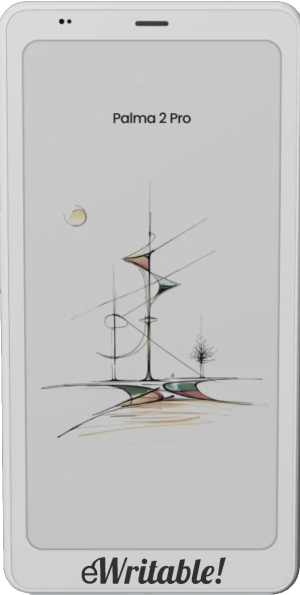 | [Affiliate link]We may earn a commission if you buy this product 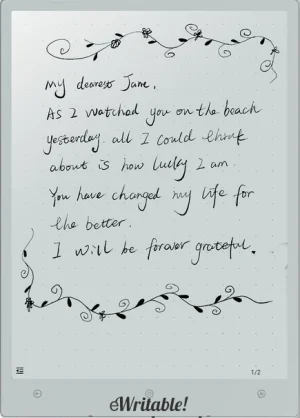 | [Affiliate link]We may earn a commission if you buy this product  | [Affiliate link]We may earn a commission if you buy this product  | [Affiliate link]We may earn a commission if you buy this product 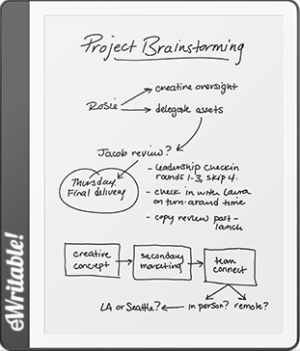 | [Affiliate link]We may earn a commission if you buy this product 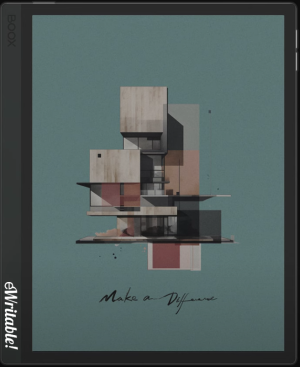 | [Affiliate link]We may earn a commission if you buy this product  |
| Notes ⓘ Any additional notes | Excellent pure note-taking tablet | Excellent monochrome Android tablet | Excellent All-Round Color Android Tablet | An excellent portable e-reader and multi-functional device | One to watch for the future... | Fast 13.3" 300PPI monochrome tablet | Small, portable, and good for both reading and note-taking | A good budget e-ink tablet | Powerful colour tablet with keyboard folio | Great E-Ink Typewriter |
| My rating ⓘ My own subjective rating | 👍 Recommended | 👍 Recommended | 👍 Recommended | 👍 Recommended | 👍 Recommended | 👍 Recommended | 👍 Recommended | 👍 Recommended | 👍 Recommended | 👍 Recommended |
| Approx. price (USD) ⓘ Approximate price at last check (in USD) | $580* | $410* | $580* | $435* | $500* | $630* | $400* | $280* | $630* Limited availability | $480* |
| Buy ⓘ A link to the best distributor based on your geographical location | * | * | * | * | * | * | * | * | * | * |
| Buying options ⓘ A list of places to buy the device from | Supernote* Supernote (EU)* | Boox Store (EU)* Boox Store* Amazon* | Boox Store (EU)* Boox Store* Amazon* E-Reader (CA)* | Boox Store (EU)* Boox Store* Amazon* | Viwoods Store (EU)* Viwoods Store* Amazon* | Boox Store (EU)* Boox Store* Amazon* | Viwoods Store (EU)* Viwoods Store* Amazon* | Amazon* | Boox Store (EU)* Boox Store* E-Reader (CA)* | reMarkable* |
| Screen size ⓘ The size of the screen (measured across the diagonal) | 10.7" | 10.3" | 10.3" | 6.13" | 10.65" | 13.3" | 8.2" | 10.2" | 10.3" | 10.3" |
| Brand | Ratta Supernote | Boox | Boox | Boox | Viwoods | Boox | Viwoods | Amazon Kindle | Boox | reMarkable |
| Operating system | Android 11 | Android 12 | Android 15 | Android 15 | Android 13 | Android 13 | Android 13 | KindleOS | Android 13 | reMarkableOS |
| Screen type ⓘ The type of e-ink screen used | Mobius Carta | Carta 1200 | Kaleido 3 | Kaleido 3 | Mobius Carta 1300 | Carta 1300 | Carta 1000 | Carta | Kaleido 3 | CANVAS with Carta |
| Screen resolution (BW) ⓘ Monochrome screen resolution | 1920 × 2560 (300PPI) | 1860 x 2480 (300PPI) | 1860 x 2480 (300PPI) | 824 x 1648 (300PPI) | 1920 x 2560 (300PPI) | 2400x3200 (300PPI) | 1440 x 1920 (297PPI) | 1830 x 2460 (approx) (300PPI) | 1860 x 2480 (300PPI) | 1404 x 1872 (226PPI) |
| Screen resolution (Color) ⓘ Color screen resolution | - | - | 930 x 1240 (150PPI) | 412 x 824 (150PPI) | - | - | - | - | 930 x 1240 (150PPI) | - |
| CPU ⓘ Speed and cores of the CPU | 1.8GHz Quad-core | 2.4GHz octa-core | 2.0GHz Octacore | 2.0GHz Octa-core | 2GHz Octa-core | 2.8GHz Octa-core | 2GHz Octa-core | unknown | 2.8 Ghz octa-core | 1.2Ghz dual-core |
| CPU Benchmark (single) ⓘ The single core CPU benchmark | 200 | 312 | 796 | 776 | 297 | 662 | 296 | unknown | 837 | unknown |
| CPU Benchmark Multi ⓘ The multi core CPU benchmark | 489 | 1162 | 1930 | 1915 | 1200 | 1951 | 1128 | unknown | 2482 | unknown |
| RAM ⓘ The amount of memory on the device | 4Gb | 4Gb | 6Gb | 8Gb | 4Gb | 6Gb | 4Gb | unknown | 6Gb | 1Gb |
| Storage capacity ⓘ The amount of storage capacity on the device | 32Gb | 64Gb | 64Gb | 128Gb | 128Gb | 128Gb | 128Gb | 16Gb | 128Gb | 8Gb |
| Battery ⓘ The capacity of the battery (in milliamps per hour) | 3600mAh | 3700mAh | 3700mAh | 3950mAh | 4100mAh | 3700mAh | 2450mAh | unknown | 4600mAh | 3000mAh |
| Battery life ⓘ Typical battery life (based on some assumptions) | 5.5 days | 8.3 days | 4.8 days | 6.7 days | 4.2 days | 3.7 days | 4.8 days | 4.8 days | unknown | 4.8 days |
| Release year ⓘ The year that the device was launched | 2024 | 2024 | 2025 | 2025 | 2024 | 2024 | 2024 | 2024 | 2023 | 2020 |
| Buy ⓘ A link to the best distributor based on your geographical location | * | * | * | * | * | * | * | * | * | * |
| HARDWARE | Supernote A5 X2 Manta | Boox Go 10.3 | Boox Note Air5 C | Boox Palma 2 Pro | Viwoods AI Paper | Boox Note Max | Viwoods AI Paper Mini | Kindle Scribe 2024 | Boox Tab Ultra C Pro | reMarkable 2 |
| Frontlight ⓘ If the device has its own light source (for reading in dim/dark conditions) | ⨯ | ⨯ | ✓ | ✓ | ⨯ | ⨯ | ✓ | ✓ | ✓ | ⨯ |
| Color screen ⓘ If the device can display colours | ⨯ | ⨯ | ✓ | ✓ | ⨯ | ⨯ | ⨯ | ⨯ | ✓ | ⨯ |
| Fast refresh rate) ⓘ If the device has hardware/software that can improve performance in certain apps (e.g. web browsing, animation etc) | ⨯ | ⨯ | ✓ | ✓ | ⨯ | ✓ | ⨯ | ⨯ | ✓ | ⨯ |
| Wacom EMR ⓘ If the device uses a Wacom EMR layer for stylus input | ✓ | ✓ | ✓ | ⨯ | ✓ | ✓ | ✓ | ✓ | ✓ | ✓ |
| Speakers ⓘ If the device has onboard an speaker(s) | ⨯ | ✓ | ✓ | ✓ | ⨯ | ✓ | ⨯ | ⨯ | ✓ | ⨯ |
| Microphone ⓘ If the device has an onboard microphone | ⨯ | ✓ | ✓ | ✓ | ✓ | ✓ | ✓ | ⨯ | ✓ | ⨯ |
| Bluetooth ⓘ If the device has Bluetooth connectivity | ✓ | ✓ | ✓ | ✓ | ✓ | ✓ | ✓ | ✓ | ✓ | ⨯ |
| Optional keyboard folio ⓘ If the device has an official folio with built-in keyboard | ⨯ | ⨯ | ✓ | ⨯ | ⨯ | ✓ | ⨯ | ⨯ | ✓ | ✓ |
| G-Sensor ⓘ If the device automatically re-orientates the screen between portrait/landscape when it is physically rotated | ✓ | ✓ | ✓ | ✓ | ⨯ | ✓ | ⨯ | ✓ | ✓ | ⨯ |
| Ceramic tip ⓘ If the device supports ceramic tips that don't wear down and never need replacing | ✓ | ⨯ | ⨯ | ⨯ | ⨯ | ⨯ | ⨯ | ⨯ | ⨯ | ⨯ |
| Fingerprint scanner ⓘ If the device has a built-in fingerptint scanner for security | ⨯ | ⨯ | ✓ | ✓ | ✓ | ⨯ | ✓ | ⨯ | ✓ | ⨯ |
| MicroSD card slot ⓘ If the device supports MicroSD cards | ✓ | ⨯ | ✓ | ✓ | ⨯ | ⨯ | ⨯ | ⨯ | ✓ | ⨯ |
| Rear camera ⓘ If the device has a rear-facing camera | ⨯ | ⨯ | ⨯ | ✓ | ⨯ | ⨯ | ⨯ | ⨯ | ✓ | ⨯ |
| Front camera ⓘ If the device has a front-facing camera | ⨯ | ⨯ | ⨯ | ⨯ | ⨯ | ⨯ | ⨯ | ⨯ | ⨯ | ⨯ |
| Waterproof ⓘ If the device is waterproof (has an IPX rating) | ⨯ | ⨯ | ⨯ | ⨯ | ⨯ | ⨯ | ⨯ | ⨯ | ⨯ | ⨯ |
| Replaceable battery ⓘ If the battery can easily be replaced by the owner | ✓ | ⨯ | ⨯ | ⨯ | ⨯ | ⨯ | ⨯ | ⨯ | ⨯ | ⨯ |
| Page turn buttons ⓘ Whether it has physical page turn buttons | ⨯ | ⨯ | ✓ | ✓ | ⨯ | ⨯ | ⨯ | unknown | ✓ | ⨯ |
| Dimensions (w x h) ⓘ Physical dimensions of the tablet (width x height/length in millimetres) | 182.6 x 251.3mm | 183 x 235mm | 192 x 225mm | 80 x 159mm | 178 x 247mm | 243 x 287.5mm | 138 x 191mm | 196 x 230mm | 184.5 x 225mm | 187 x 246mm |
| Thickness ⓘ The physical thickness/thinness of the tablet (in millimetres) | 6mm | 4.6mm | 5.8mm | 8.8mm | 4.5mm | 4.6mm | 5.2mm | 5.7mm | 6.6mm | 4.7mm |
| Weight ⓘ The physical weight of the tablet (in grams) | 385g | 375g | 440g | 175g | 370g | 585g | 240g | 433g | 450g | 400g |
| Weight (with folio) ⓘ The weight of the device when inside the official folio | 485g | 625g | unknown | unknown | 510g | 880g | 355g | unknown | unknown | unknown |
| Weight (with kb folio) ⓘ The weight of the tablet and official keyboard folio (where available) | unknown | unknown | unknown | unknown | unknown | 1155g | unknown | unknown | unknown | unknown |
| Tablet rating ⓘ Rating of the tablet (hardware and accessories only) without taking into account the firmware/brand. |
Read review
👍 Recommended |
Read review
👍 Recommended |
Read review
👍 Recommended |
Read review
👍 Recommended |
Read review
👍 Recommended |
Read review
👍 Recommended |
Read review
👍 Recommended |
Read review
👍 Recommended |
Read review
👍 Recommended |
Read review
👍 Recommended |
| Buy ⓘ A link to the best distributor based on your geographical location | * | * | * | * | * | * | * | * | * | * |
| SOFTWARE | Supernote A5 X2 Manta | Boox Go 10.3 | Boox Note Air5 C | Boox Palma 2 Pro | Viwoods AI Paper | Boox Note Max | Viwoods AI Paper Mini | Kindle Scribe 2024 | Boox Tab Ultra C Pro | reMarkable 2 |
| Firmware ⓘ The version of firmware currently available (and link to details) | 3.26 | 4.1 | 4.1 | 4.1 | 3.9 | 4.0 | 3.9 | 5.19 | 4.0 | 3.25 |
| Google Play Store ⓘ If the device supports installation of third-party Android apps from the Google Play Store | ⨯ | ✓ | ✓ | ✓ | ✓ | ✓ | ✓ | ⨯ | ✓ | ⨯ |
| Kindle support ⓘ If the device supports the installation of the Kindle app | ✓ | ✓ | ✓ | ✓ | ✓ | ✓ | ✓ | ✓ | ✓ | ⨯ |
| Handwriting search ⓘ If the device support searching for word in your handwriting | ✓ | ✓ | ✓ | ✓ | ⨯ | ✓ | ⨯ | ⨯ | ✓ | ✓ |
| Handwriting-to-text conversion ⓘ If the device supports converting your handwriting into text | ✓ | ✓ | ✓ | ✓ | ✓ | ✓ | ✓ | ✓ | ✓ | ✓ |
| Insert shapes ⓘ If the device supports inserting shapes into your notebooks | ⨯ | ✓ | ✓ | ✓ | ⨯ | ✓ | ⨯ | ⨯ | ✓ | ⨯ |
| Insert images ⓘ If the device supports inserting images into your notebooks | ⨯ | ✓ | ✓ | ✓ | ✓ | ✓ | ✓ | ⨯ | ✓ | ⨯ |
| Draw straight lines ⓘ If the device supports easily drawing straight lines | ✓ | ✓ | ✓ | ✓ | ✓ | ✓ | ✓ | ⨯ | ✓ | ✓ |
| Desktop/mobile app ⓘ If the brand has a proprietary app for accessing your books or notebooks from other devices | ✓ | ⨯ | ⨯ | ⨯ | ✓ | ⨯ | ✓ | ✓ | ⨯ | ✓ |
| Native apps ⓘ A list of the native apps that come pre-installed with the firmware | E-Reading, Note-taking, Calendar, E-mail, Todo List, Digest (Reading Notes), Kindle, Atelier (drawing), Inkflow (use tablet as drawing pad with PC) | E-reading, Note-taking, Web Browser, AI Assistant, BooxDrop, Calendar Memo, RSS Reader, Audio Player, Audio Recorder, Calculator | E-reading, Note-taking, Web Browser, AI Assistant, BooxDrop, Calendar Memo, RSS Reader, Audio Player, Audio Recorder, Calculator | E-reading, Note-taking, Web Browser, AI Assistant, BooxDrop, Calendar Memo, RSS Reader, Audio Player, Audio Recorder, Calculator | E-Reading, Note-taking, Write-on Calendar (with links to meeting notes), Memo (quick notes with alarms), Web browser, Email Client, Pickings (global screenshots with annotations) | E-reading, Note-taking, Web Browser, AI Assistant, BooxDrop, Calendar Memo, RSS Reader, Audio Player, Audio Recorder, Calculator | E-Reading, Note-taking, Write-on Calendar (with links to meeting notes), Memo (quick notes with alarms), Web browser, Email Client, Pickings (global screenshots with annotations) | E-reading, Note-taking | E-reading, Note-taking, Web Browser, AI Assistant, BooxDrop, Calendar Memo, RSS Reader, Audio Player, Audio Recorder, Calculator | PDF-Reading, Note-taking |
| Supported cloud drives ⓘ Cloud drives supported by the firmware (for saving your files externally) | Proprietary, Google Drive, Dropbox, OneDrive, Self-host | Proprietary, Google Drive, Dropbox, OneDrive, OneNote, WebDav, AliYun, Baidu, Evernote, NutStore, Readwise, Youdao, Zotero | Proprietary, Google Drive, Dropbox, OneDrive, OneNote, WebDav, AliYun, Baidu, Evernote, NutStore, Readwise, Youdao, Zotero | Proprietary, Google Drive, Dropbox, OneDrive, OneNote, WebDav, AliYun, Baidu, Evernote, NutStore, Readwise, Youdao, Zotero | Proprietary (temporary storage only), Google Drive, Dropbox, MS OneDrive, Baidu | Proprietary, Google Drive, Dropbox, OneDrive, OneNote, WebDav, AliYun, Baidu, Evernote, NutStore, Readwise, Youdao, Zotero | Proprietary (temporary storage only), Google Drive, Dropbox, MS OneDrive, Baidu | Proprietary | Proprietary, Google Drive, Dropbox, OneDrive, OneNote, WebDav, AliYun, Baidu, Evernote, NutStore, Readwise, Youdao, Zotero | Proprietary, Google Drive, Dropbox, OneDrive, Slack (synchronisation not supported on third-party drives) |
| Brush types ⓘ A list of the brush types in the note-taking app | Needlepoint, Ink Pen, Marker | Pen, Fountain Pen, Calligraphy Pen, Paintbrush, Ballpoint Pen, Pencil, Marker | Pen, Fountain Pen, Calligraphy Pen, Paintbrush, Ballpoint Pen, Pencil, Marker | Pen, Fountain Pen, Calligraphy Pen, Paintbrush, Ballpoint Pen, Pencil, Marker | Calligraphy Pen, Fountain Pen, Ballpoint Pen, Fineliner, Pencil, Highlighter, and Thinkers | Fountain Pen, Paintbrush, Ballpoint Pen, Pencil, Marker | Calligraphy Pen, Fountain Pen, Ballpoint Pen, Fineliner, Pencil, Highlighter, and Thinkers | Pen, Fountain Pen, Marker, Pencil, Highlighter | Fountain Pen, Paintbrush, Ballpoint Pen, Pencil, Marker | Ballpoint, Fineline, Pencil, Mechanical Pencil, Highlighter, Marker, Calligraphy, Paintbrush, Shader |
| PRODUCT | Supernote A5 X2 Manta | Boox Go 10.3 | Boox Note Air5 C | Boox Palma 2 Pro | Viwoods AI Paper | Boox Note Max | Viwoods AI Paper Mini | Kindle Scribe 2024 | Boox Tab Ultra C Pro | reMarkable 2 |
| Buying options ⓘ A list of places to buy the device from | Supernote* Supernote (EU)* | Boox Store (EU)* Boox Store* Amazon* | Boox Store (EU)* Boox Store* Amazon* E-Reader (CA)* | Boox Store (EU)* Boox Store* Amazon* | Viwoods Store (EU)* Viwoods Store* Amazon* | Boox Store (EU)* Boox Store* Amazon* | Viwoods Store (EU)* Viwoods Store* Amazon* | Amazon* | Boox Store (EU)* Boox Store* E-Reader (CA)* | reMarkable* |
| Buy ⓘ A link to the best distributor based on your geographical location | * | * | * | * | * | * | * | * | * | * |
| PRODUCT | Supernote A5 X2 Manta | Boox Go 10.3 | Boox Note Air5 C | Boox Palma 2 Pro | Viwoods AI Paper | Boox Note Max | Viwoods AI Paper Mini | Kindle Scribe 2024 | Boox Tab Ultra C Pro | reMarkable 2 |
