

Pros
Tablet:+ Gorgeous design
+ Super thin
+ 300PPI screen
+ Great battery life
+ Great tactile writing experience
+ Audio (Speakers & Mic)
+ Android (supports 3rd-party apps)
+ Great reading software
+ Fantastic note-taking software
+ Very powerful and versatile
Firmware review
+ On the cutting-edge of e-ink technologies
+ Wide range of products
+ Regular firmware updates
Brand overview
Cons
Tablet:- No frontlight
- Stylus falls off tablet/folio easily
- Folio 'stand configuration' is unstable
- Steeper learning curve
- Not as intuitive as it could be
Firmware review
- Customer support can be variable
- Unfavourable returns policy when buying direct from Boox
Brand overview
Excellent monochrome Android tablet
TRANSPARENCY NOTICE:
The Boox Go 10.3 e-ink tablet featured in this article was sent to me free-of-charge by Boox for review purposes.
Like all brands that send me review units, this was on the understanding that I would maintain full editorial control, and that they would have zero influence over the content I write.
I have not been paid any money to write this review, however, I may earn a small commission when somebody clicks on a link to the manufacturer and goes on to make a purchase. This does not incur any additional cost the buyer, but goes a long way to helping support this website and my work (for manufacturers that do not agree to my terms of non-interference above, I have to buy their products myself at full cost).
In short, this is my true and honest opinion of the tablet. I will objectively highlight both good and bad points, as well as provide my own subjective perspective.
Design and Build
Beauty is subjective, but in my opinion, the design of the Boox Go 10.3 is exquisite.
It’s very rare that I get an e-ink device that I just want to hold and admire for purely aesthetic reasons. There have been several occasions where I have found myself touching it and staring at for no real reason, almost cherishing it.


For those that don’t know me, I can appreciate that this must sound like hyperbole (or perhaps even bullshit) but I wanted to give a truthful account of my experience, even if it does make me sound like a bit of a nob. I’d urge you to browse this website and check out my other reviews to confirm that I don’t usually have this sort of emotional reaction to the devices that I review.
In fact, the last time I remember feeling awed about the design of a product was when I reviewed the reMarkable 2. And this is no surprise because, in terms of look-and-feel, there are several similarities between these two e-ink tablets. In fact, it seems to me that Boox have used the rM2 as their inspiration for the design of the Go 10.3.
First off, it is remarkably (no pun intended) thin, with a thickness of just 4.6mm – a tenth of a millimetre thinner than the reMarkable 2 (which presumably means that reMarkable will no longer be able to claim that they have “the world’s thinnest tablet“).

It has smooth, well-machined, silver-metallic edges, with nicely-rounded corners. An off-white bezel (slightly wider on the bottom edge) borders the glass screen, and there’s a vertical white strip down the left-hand side, perhaps emulating the spine of a book.
The plastic rear panel has a textured, almost leather-like feel to it, and a thin silver strip running vertically close to to the right-hand side, which has similarities to the ribbon or band that you might find on paper journal.
The left and right edges are bare. On the top edge (right hand side) is the power button, which protrudes out a millimetre or so. I’ve found that because the button juts out slightly and has a tactile click when pushed, it is far easier to locate and press than previous Boox tablets (such as the Note Air 3) that utilise a button that is flush with the edge.
Centrally, on the bottom edge is the USB-C port (for charging/data/OTG), and it is flanked by tiny holes for the microphone. Further to the left and right of the microphone holes are the grilles for the dual speakers.


On the Note Air 3, 3C, and 4C, the USB-C port is ridiculously located on the left-hand edge, which meant that you couldn’t charge it with the cover was closed. I’m happy to see that with the Go 10.3, the USB-C port is in a much more sensible and practical location.
Like the rM2, the chassis of the Go 10.3 is very rigid, with very little flexibility, rather like a slate. Applying pressure to attempt to bend the tablet results in almost no pliability at all. In addition, there is no creaking or rattling – it is a very solid device.
This type of rigid design always makes me a little cautious because I feel like it might shatter if it gets a bump. This is in contrast to the softer and more flexible plastics used on other devices (such as Supernote and Kobo) that have a lot more ‘give‘ and have the impression that they are more likely to bend before they break. However, I’ve discovered (at least with the rM2) that my reservations are unfounded – my rM2 has taken a bit of a beating over the years, and still works perfectly (and I don’t even use a cover/folio with it).
Overall, the Boox Go 10.3 has a gorgeous design that is both elegant and robust. It is one of those rare devices that I want to hold in my hands and admire.
Hardware Specs
Internally, the Go 10.3 has a Qualcomm Snapdragon 680 octa-core processor with a clock speed of 2.4GHz.
There’s also 4Gb RAM, and 64Gb of storage capacity.
Unlike some other Boox tablets, the Go 10.3 does not have graphics processor, or Boox Super Refresh (BSR). This means that it does not support the fastest refresh rates so the performance of some third-party apps will not be as smooth (or even usable) as BSR tablets, however, it also means that the battery life is much longer (BSR is very power-hungry, even when not being used!)
Using the Geekbench 6 CPU Benchmark app, the Go 10.3 scored 312 in the single-core test, and 1162 in the multi-core test (the mean average of three tests).


Overall, the Boox 10.3 has some solid hardware specs and performance will be great for the core uses of an e-ink tablet (reading, note-taking, even web browsing). However, the lack of BSR does mean that some third-party apps will not run as well as they might on an e-ink tablet that supports fast refresh rates. You can check out CPU benchmarks for a range of e-ink tablets here.
Screen
The screen is 10.3″ (around A5-sized) and is monochrome (Carta 1200).
It is flush with bezels and has a resolution of 1860 x 2480 (300dpi).
Because it uses a black and white (grayscale) screen, it does not suffer from the inherent drawbacks present on the deluge of colour (Kaleido 3) e-ink tablets that have hit the market in recent years. This means it has a “whiter” screen and better contrast than it’s colour-screened counterparts.
It also does not have a frontlight, which means the screen will not self-illuminate, so an external light source is required.
Whilst the lack of frontlight can be problematic if you need to view the screen in dark or dimly-lit environments, it also offers several advantages; text on the screen and pen strokes feel closer to the surface of the screen (rather than slightly below it), and battery life is better (although, granted, you can turn the frontlight off with other tablets to prevent power usage).
There are touchscreen capabilities, and a Wacom EMR layer (so any Wacom-compatible stylus will work fine with it).
And there is “paper-like” film on the surface, which makes writing with stylus feel slightly rougher and grainier rather than a glass-like texture (although the screen still feels smooth to the touch).
Overall, the screen on the Go 10.3 is exceedingly good. The crispness, contrast, and clarity is immense and I’d go as far as to say it is one of the best I have used. Of course, the absence of colour and a frontlight will make it unsuitable for some users that require these capabilities, but these features do come with some drawbacks (as discussed above).

Writing feel
The “paper-like” film on the top of the screen produces a somewhat rough and grainy feel as the stylus nib glides over it.
It also makes a satisfying audible scratching sound – it is not glass-like or slippery like some tablets I’ve reviewed.
The screen is hard, providing a rigid and stable canvas but the nib is soft, so there is no harsh tapping sound when it hits the screen. The nib also tapers to a small rounded point, which provides a fantastic level of precision when writing.
There is very little perceived lag when writing – as you move the stylus over the screen, the strokes appear almost immediately.
And, both pressure and tilt sensitivity have been implemented in the native note-taking app (dependent on which brush/pen tool is selected) and work really well – see my review of the Boox firmware below for more info).
Overall, I really enjoy the experience of writing on the Go 10.3, and would say it is one of the best currently available in this regard.
Hardware features
As well as the underlying hardware specs, the Go 10.3 has some additional hardware features that make the tablet more versatile.
As standard for most e-ink tablets, there’s support for both Wifi and Bluetooth connectivity. As well as connecting headphones, Bluetooth can also be used to connect other peripherals, such as third-party keyboards (there is no official keyboard folio for the Go 10.3).
For further connectivity, the single USB-C port supports On-The-Go (OTG) connections, which means you can hook up a USB hub for the connection of peripherals and mass storage devices (hard drives, USB sticks etc.) There’s no on-board MicroSD card slot, but it is possible to connect a MicroSD card reader via the USB port.
There’s a G-Sensor for automatically reorienting the screen between landscape/portrait when you rotate it physically.
And there’s also speakers and microphone. The microphone can be used for recording voice notes in the native note-taking app (and third-party apps) or for recording a meeting. As well as system sounds (such as notification alerts), the speakers can be used for Text-to-Speech (TTS) in the native reading app, or even listening to music/videos. However, don’t expect too much from the onboard speakers and mic – they’re very basic additions that are great for simple everyday use, but are not going to produce anything of production quality.
Overall, the additional hardware features provided on the Go 10.3 offers several additional use cases for the tablet beyond simply reading and note-taking. For example, you can record meetings and voice reminders, or listen to podcasts using Bluetooth headphones or the integrated speakers. You can increase the storage capacity using USB. You can even connect a Bluetooth keyboard for typed input.
Battery
The Go 10.3 has a 3700mAh battery.
As mentioned earlier, the lack of BSR and frontlight will prolong the battery life between charges compared to e-ink tablets that do have these features.
The table below shows how much battery is depleted by performing certain operations for an hour.
| Test (1hr) | Go 10.3 (% battery used) |
|---|---|
| Note-taking | 3% |
| Reading | 1% |
| Wifi On | +1% |
So, you could expect to drain about 3% of the battery per hour when note-taking, and 1% per hour when reading. Having Wifi turned on uses around 1% extra per hour.
I calculate typical battery life from these figures by assuming 3 hours of note-taking and 2 hours of reading each day, with the Wifi turned on for 3 hours. For tablets that have a frontlight, I factor in 2 hours on a medium setting and 2 hours on full – however, because the Go 10.3 does not have a frontlight, this was not incorporated.
For the Go 10.3, this works out at about 14% of battery use per day, which would give you around 7.1 days of use before it needed to be recharged. This is excellent battery life, and one of the top performers (see comparison of battery life across e-ink tablets here)
Accessories
The Boox Go 10.3 was shipped with a folio cover, stylus and 5x spare marker tips/nibs.
At the time of writing, these are the same accessories that are provided if you buy an Go 10.3 from the official Boox Store or Boox Euro Store.
If you buy from Amazon, although the price is the same, you only get the tablet and stylus and have to buy the folio and marker tips separately. Whilst you get more thrown in buying direct from Boox, there are advantages to buying from Amazon, including fast shipping and a quicker, easier, and less costly returns process.
Stylus
The Go 10.3 ships with the Boox Pen Plus stylus, which I am really rather fond of because of its minimal design.
It is almost cylindrical, with one side flattened to prevent it rolling on uneven surfaces. There are vertical grooves down the side, which help to provide a decent grip (and also aid roll-prevention). I find that the stylus is nicely-weighted (not too heavy, not too light), which makes for a comfortable hold and a pleasant writing experience.
It is an off-white colour that blends nicely with the white bezels on the tablet. Other devices in the Boox product range are dark gray in colour, and have a matching dark gray stylus. But, apart from the colour, the Pen Plus that ships with the Go 10.3 is exactly the same as those used by other models.

There’s no bells and whistles on the Pen Plus, such as an eraser on the top or a button on the shaft – and, for me, this is a pro rather than a con. My fat fingers always seem to inadvertently activate side buttons without meaning to, and Boox’s scribble-erase feature is quicker than turning the stylus upside-down to use the physical eraser. However, this is my own personal taste – some people do like to have a physical eraser, and for these users Boox sell the Pen2Pro, however there is currently no option to buy the Go 10.3 with the Pen2Pro instead of the Pen Plus.
Because Boox tablets use Wacom-EMR technology, it is possible to use third-party Wacom-compatible styluses with the Go 10.3. Although the eraser on such styluses should work fine, I can find no configuration settings in the Boox software to configure the action of additional buttons.
The Pen Plus uses soft, replaceable nibs, which produce a nice tactile writing feel with the screen (see my remarks about the writing experience above) but they do wear down with use. And if you do a lot of writing like me, you will probably need to replace the nib every couple of months, which is an ongoing cost. However, this is true for the majority of e-ink tablets, barring Supernote styluses, which use ceramic tips that never wear down – unfortunately, these harder tips are not recommended for use with non-Supernote tablets because of the risk of scratching the screen.
The stylus attaches magnetically to the right edge of the tablet, but the hold is not very secure and it falls off quite easily. This issue stems from the fact that this stylus was originally designed to be used with previous generation Boox tablets, which have thicker, flatter edges, resulting in a more secure magnetic grip. Retro-fitting the older stylus to a newer tablet simply hasn’t worked – the thinner, rounder edges look and feel nicer but are simply not practical for holding the stylus. The result is that the slightest nudge makes the stylus roll onto the front or rear panels, and a shake or jolt of the tablet makes the stylus falls off. Of course, this is mitigated somewhat by the cover and magnetic flap but it feels more of a fudge than anything else. I feel Boox really should have took a little time to design a new stylus that is actually compatible with their nice new tablet.
On the whole, Boox’s Pen Plus stylus is very good (not quite the best I’ve used, but very high up the list). However, it just isn’t compatible with the Go 10.3.
Folio
The cover is very plain and nondescript…but in a good way. It is made from a single-piece polymer material with hardened front and rear panels. There are two folds; one in the centre, and one around the final third of the rear panel, which can turn the cover into a stand for landscape mode.


There are no fittings or appendages because the tablet is securely held in place by magnets. I was concerned that the magnets would not be strong enough to hold the tablet in place, but it turned out the are very strong and I had no issues with the tablet becoming detached with everyday use. Of course, magnets will never be stronger than squeezing the tablet tightly into a plastic tray (as seen with other e-ink brands), and if you hold one side of the cover and give it a vigorous shake, then the tablet does fall out. But lightly shaking it it won’t result in it becoming detached – it does the job of protecting the tablet pretty well.
The exterior is beige, and has an almost faux leather texture. The interior is smooth and dark brown. I quite like the beige/brown colouring, although I concede that it may not be to everyone’s tastes. The only markings are a small Boox logo that has been de-bossed into the lower right corner of the front cover.
Also included with the cover is a magnetic flap, which is primarily designed to keep the stylus in place. It didn’t really do a very good job of this. I’d often take the tablet out of my rucksack and find that the stylus was missing, or (even worse) had been pushed inside the cover and was sitting on top of the screen (which could potentially damage it).

Unfortunately, I found that using the cover as a stand was not very practical. Because the interior panels are smooth (as are the edges of the tablet), and there is no indent to keep the tablet in place, it tends to slide around a bit. In addition, when you tap the screen in this configuration, the tablet moves around because it is not secured in place. It’s actually quite poorly designed for this purpose, and Boox would have perhaps been better to not include this option at all.

In summary, the folio is visually appealing (although that can be subjective) and provides a decent level of protection for the tablet. As a stand, it is totally impractical because it does not stay in place at the angle you originally set it and moves around too easily. And it tries to solve the issue of the stylus falling off the tablet by introducing a detachable magnetic flap, which only results in the stylus being pushed inside the folio and onto the screen. Take the stylus (and flap) out of the equation (by carrying the stylus separately) and I find the folio to be okay. But it could have been so much better.
Software
My review of this tablet should be read in conjunction with my review of the current firmware (see table below), which includes aspects such as the Operating System, User Interface, and Native Apps.
The hardware and software reviews have been separated because the firmware used at the time that this review was written may not be the same firmware being used currently. This could result in the review quickly becoming outdated. Also, as several tablets may use the same firmware, this would mean going back and updating every single tablet review from a particular manufacturer to account for the new firmware. By splitting them up, if there is a firmware update, I am able to make the updates on a single page.
Current versions of this brand’s firmware are shown in the table below, along with the tablets running them.
| My rating | Firmware version | Tablets using this firmware |
|---|---|---|
| 4.1 (current version) Aug 2025 | Boox Go 10.3 Boox Note Air5 C Boox Palma 2 Pro Boox Note Air3 Boox Note Air4 C Boox Note Air3 C Boox Go 7 Boox Go Color 7 | |
| 4.0 (current version) Oct 2024 | Boox Note Max Boox Tab Ultra C Pro Boox Tab X Boox Tab X C Boox Tab Mini C Boox Tab Ultra Boox Max Lumi 2 Boox Tab Ultra C Boox Note Air2 Plus Boox Note 5 | |
| Older Boox firmware versions may be found here | ||
Brand
For some people, it is also worth considering the brand as whole, including aspects like customer service, ecosystem, values, and criticisms.
My full overview of the Boox brand can be found here, but I have provided a summary below.
Boox*

+ On the cutting-edge of e-ink technologies
+ Wide range of products
+ Regular firmware updates
- Customer support can be variable
- Unfavourable returns policy when buying direct from Boox
Boox are a well-established Chinese brand who manufacture a wide range of tablets that are very versatile and can be used for variety of tasks.
Customer support is okay (not the worst, but not the best either), and there are concerns about them violating the GPL licence by not publicly releasing code they have modified for the Linux kernel.
Final Verdict
The Boox Go 10.3 is a very capable e-ink tablet.
For purists like myself that use e-ink primarily for reading, annotation, and note-taking, the Go 10.3 offers high-clarity on-screen text and an impeccable writing experience. Combined with powerful reading and note-taking apps (as well as the ability to use third-party apps) and pretty good performance under-the-hood, the Go 10.3 ticks a lot of boxes. However, those that are 100% certain they will need additional features, such as colour, BSR, resource-hungry third-party apps and a frontlight would be wise to look at other options (whilst bearing in mind the compromises that come with these features).
Regular readers will know that I have been a happy Supernote user for many years. I’ve seen lots of e-ink tablets come and go, but never seriously considered switching the device that I use as my daily driver. The Boox Note Air 3 (and 3C, to some extent) came close but my Supernote A5 X always remained my constant companion.
As you may have ascertained from this hugely positive review of the Boox Go 10.3, I’m seriously considering making the switch.
Like Supernote, the Go 10.3 has an excellent tactile writing experience and powerful note-taking software. What’s more, it has a gorgeous design, more powerful hardware, better native reading software than the Supernote, the ability to install third-party apps and also supports integration with my new cloud drive (NextCloud).
One of the things that has prevented me from switching to a Boox in the past has been the fact that their devices feel more like computers than writing tools – more digital than analogue. The Go 10.3 (when configured correctly) is the first Boox device where I feel disconnected from the Internet whilst using it, and I’ve absolutely loved the time I’ve spent with it so far.
It’s not perfect by any means.
There’s no real integration between the tablet, cover, and stylus – the stylus doesn’t magnetically connect very well to the side of the tablet and the flap to hold it on feels more like an afterthought. And the stand configuration of the cover doesn’t work well at all. And whilst Boox’s firmware is very powerful and feature-rich, it does not have the most intuitive user interface.
But, overall, I am very, very impressed with the Boox Go 10.3. So much so that I am going to test run it for a few more weeks to decide if it will take the place of my Supernote A5X as my daily driver.
UPDATE NOV 24: I’m still using it as my daily driver.
Tablet Overview
| PRODUCT | Boox Go 10.3 |
|---|---|
| Product image | [Affiliate link]We may earn a commission if you buy this product 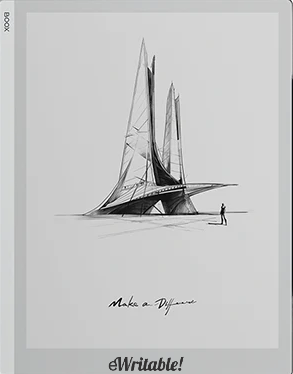 |
| Notes ⓘ Any additional notes | Excellent monochrome Android tablet |
| My rating ⓘ My own subjective rating | 👍 Recommended |
| Approx. price (USD) ⓘ Approximate price at last check (in USD) | $410* |
| Buy ⓘ A link to the best distributor based on your geographical location | * |
| Buying options ⓘ A list of places to buy the device from | Boox Store (EU)* Boox Store* Amazon* |
| Screen size ⓘ The size of the screen (measured across the diagonal) | 10.3" |
| Brand | Boox |
| Operating system | Android 12 |
| Screen type ⓘ The type of e-ink screen used | Carta 1200 |
| Screen resolution (BW) ⓘ Monochrome screen resolution | 1860 x 2480 (300PPI) |
| Screen resolution (Color) ⓘ Color screen resolution | - |
| CPU ⓘ Speed and cores of the CPU | 2.4GHz octa-core |
| CPU Benchmark (single) ⓘ The single core CPU benchmark | 312 |
| CPU Benchmark Multi ⓘ The multi core CPU benchmark | 1162 |
| RAM ⓘ The amount of memory on the device | 4Gb |
| Storage capacity ⓘ The amount of storage capacity on the device | 64Gb |
| Battery ⓘ The capacity of the battery (in milliamps per hour) | 3700mAh |
| Battery life ⓘ Typical battery life (based on some assumptions) | 8.3 days |
| Release year ⓘ The year that the device was launched | 2024 |
| Buy ⓘ A link to the best distributor based on your geographical location | * |
| HARDWARE | Boox Go 10.3 |
| Frontlight ⓘ If the device has its own light source (for reading in dim/dark conditions) | ⨯ |
| Color screen ⓘ If the device can display colours | ⨯ |
| Fast refresh rate) ⓘ If the device has hardware/software that can improve performance in certain apps (e.g. web browsing, animation etc) | ⨯ |
| Wacom EMR ⓘ If the device uses a Wacom EMR layer for stylus input | ✓ |
| Speakers ⓘ If the device has onboard an speaker(s) | ✓ |
| Microphone ⓘ If the device has an onboard microphone | ✓ |
| Bluetooth ⓘ If the device has Bluetooth connectivity | ✓ |
| Optional keyboard folio ⓘ If the device has an official folio with built-in keyboard | ⨯ |
| G-Sensor ⓘ If the device automatically re-orientates the screen between portrait/landscape when it is physically rotated | ✓ |
| Ceramic tip ⓘ If the device supports ceramic tips that don't wear down and never need replacing | ⨯ |
| Fingerprint scanner ⓘ If the device has a built-in fingerptint scanner for security | ⨯ |
| MicroSD card slot ⓘ If the device supports MicroSD cards | ⨯ |
| Rear camera ⓘ If the device has a rear-facing camera | ⨯ |
| Front camera ⓘ If the device has a front-facing camera | ⨯ |
| Waterproof ⓘ If the device is waterproof (has an IPX rating) | ⨯ |
| Replaceable battery ⓘ If the battery can easily be replaced by the owner | ⨯ |
| Page turn buttons ⓘ Whether it has physical page turn buttons | ⨯ |
| Dimensions (w x h) ⓘ Physical dimensions of the tablet (width x height/length in millimetres) | 183 x 235mm |
| Thickness ⓘ The physical thickness/thinness of the tablet (in millimetres) | 4.6mm |
| Weight ⓘ The physical weight of the tablet (in grams) | 375g |
| Weight (with folio) ⓘ The weight of the device when inside the official folio | 625g |
| Weight (with kb folio) ⓘ The weight of the tablet and official keyboard folio (where available) | unknown |
| Tablet rating ⓘ Rating of the tablet (hardware and accessories only) without taking into account the firmware/brand. |
Read review
👍 Recommended |
| Buy ⓘ A link to the best distributor based on your geographical location | * |
| SOFTWARE | Boox Go 10.3 |
| Firmware ⓘ The version of firmware currently available (and link to details) | 4.1 |
| Google Play Store ⓘ If the device supports installation of third-party Android apps from the Google Play Store | ✓ |
| Kindle support ⓘ If the device supports the installation of the Kindle app | ✓ |
| Handwriting search ⓘ If the device support searching for word in your handwriting | ✓ |
| Handwriting-to-text conversion ⓘ If the device supports converting your handwriting into text | ✓ |
| Insert shapes ⓘ If the device supports inserting shapes into your notebooks | ✓ |
| Insert images ⓘ If the device supports inserting images into your notebooks | ✓ |
| Draw straight lines ⓘ If the device supports easily drawing straight lines | ✓ |
| Desktop/mobile app ⓘ If the brand has a proprietary app for accessing your books or notebooks from other devices | ⨯ |
| Native apps ⓘ A list of the native apps that come pre-installed with the firmware | E-reading, Note-taking, Web Browser, AI Assistant, BooxDrop, Calendar Memo, RSS Reader, Audio Player, Audio Recorder, Calculator |
| Supported cloud drives ⓘ Cloud drives supported by the firmware (for saving your files externally) | Proprietary, Google Drive, Dropbox, OneDrive, OneNote, WebDav, AliYun, Baidu, Evernote, NutStore, Readwise, Youdao, Zotero |
| Brush types ⓘ A list of the brush types in the note-taking app | Pen, Fountain Pen, Calligraphy Pen, Paintbrush, Ballpoint Pen, Pencil, Marker |
| PRODUCT | Boox Go 10.3 |
| Buying options ⓘ A list of places to buy the device from | Boox Store (EU)* Boox Store* Amazon* |
| Buy ⓘ A link to the best distributor based on your geographical location | * |
| PRODUCT | Boox Go 10.3 |
