

Pros
Tablet:+ Portable (small, thin, and light)
+ Frontlight
+ Colour screen
+ Thin and light folio
+ Excellent CPU performance
+ 300PPI (B+W) & great screen clarity
+ MicroSD
+ Audio (Speakers & Mic)
+ Android (supports 3rd-party apps)
+ Great reading software
+ Fantastic note-taking software
+ Very powerful and versatile
Firmware review
+ On the cutting-edge of e-ink technologies
+ Wide range of products
+ Regular firmware updates
Brand overview
Cons
Tablet:- Tactile writing experience is sub-par
- Small screen/writing canvas
- Steeper learning curve
- Not as intuitive as it could be
Firmware review
- Customer support can be variable
- Unfavourable returns policy when buying direct from Boox
Brand overview
An excellent little e-reader, but the writing experience is poor
TRANSPARENCY NOTICE:
The Boox Go Color 7 e-ink tablet featured in this article was sent to me free-of-charge by Boox for review purposes.
Like all brands that send me review units, this was on the understanding that I would maintain full editorial control, and that they would have zero influence over the content I write.
I have not been paid any money to write this review, however, I may earn a small commission when somebody clicks on a link to the manufacturer and goes on to make a purchase. This does not incur any additional cost the buyer, but goes a long way to helping support this website and my work (for those manufacturers that do not agree to my terms of non-interference above, I have to buy their products myself at full cost).
In short, this is my true and honest opinion of the tablet. I will objectively highlight both good and bad points, as well as provide my own subjective perspective.
This article was:
- Inspired by the Boox Go Color 7*
- Drafted on the Supernote A5 X2 Manta*
- Typed up on the reMarkable Paper Pro*
Before I start, I want to give fair warning that a lot of this review is a copy/paste of my review of the Boox Go 7. This is because they are extremely similar devices – the only real difference is that Go 7 has a monochrome Carta 1300 screen and the Go Color 7 has Carta 1200 with Kaleido 3 (colour screen).
I also want to point out that this review is for the SECOND GENERATION Boox Go Color 7. Last year (2024), Boox released their first generation Go Color 7, which was an e-reader with no stylus or handwriting support. Both first and second generation devices look very similar, so if you are buying second-hand, please check that you have the right one for your needs. A quick way to tell is by looking at the page-turn buttons – on the first-generation, they are close together and rectangular, whereas on the second-generation, they are separated and more elliptical. I’ve dropped a pic below to show this visually:

Design and Build
The most obvious design aspects of the Boox Go Color 7 is that it is small, portable, and lightweight.
In fact, along with its sibling, the Go 7, it is the lightest e-ink tablet I have ever reviewed. This makes it very comfortable to hold with one hand for long periods.
It has a black plastic chassis, with a glass screen, and the rear panel has a rough, grainy texture to it that provides a thoroughly decent grip.


The black border around the screen is thin on three sides and thicker on the fourth, where the two physical page-turn buttons are housed. There is a little shadowing under the bezels, highlighting the gap between the glass lens on the screen’s surface and actual e-ink panel below, but I’ll go into that in more detail in the ‘screen‘ section (below).
The physical page-turn buttons are a massive improvement on the Go Color 7 (Gen 1) e-reader (which has almost the same chassis). On the older model, the buttons felt wobbly, and there was a variable audible/tactile click dependent on exactly where they were pressed. In addition they were adjacent to each other (almost physically touching), which meant that it was difficult to identify which was the ‘next page’ button and which was the ‘previous page’ button by touch alone.
Boox appear to have took onboard the feedback, and separated the buttons so that there is a gap between them and made the tactile/audible click when they are pressed uniform and pleasant. They also feel much more secure within the housing.
The edges are flat (not contoured) and the corners are rounded. It is not the thinnest tablet on the market, but this is a concession of the smaller form factor – larger screen models have more height and width to house the internal components, whereas smaller-screened tablets have to create more space my increasing the thickness.
On the bottom edge (right-hand side) is the power button. And on the right edge, starting from the top, is the USB-C port (for charging and data transfer), the microphone, the MicroSD card slot, and the speaker. The top and left edges are plain, however, there is a tiny pinhole on the left edge, of which I’m not quite sure of the function. At first I though it was the microphone, but I’m pretty certain that is contained within the top grille on the right edge. Then I thought it may have dual microphones, but the specifications only mention a single mic. It could possibly have no function (perhaps a design aspect for a future model that will have dual-microphones and use the same chassis) or it may be related to the sleep cover/folio, but I can’t say 100% for sure. Anyhow, it’s not really a problem or concern, I’d just be interested to know.


The tablet itself feels very robust, and I don’t expect it will break easily – it’s been bouncing around in my rucksack for the last couple of weeks without any problems. It feels quite rigid, but has a little flex in the rear panel, and there is no audible rattling or creaking.
Overall, the Boox Go Color 7 has a very compact and solid design, and has all the hallmarks of a great little e-reader – lightweight, comfortable to hold, and decent page-turn buttons.
Hardware Specs
Internally, the Go Color 7 has a Qualcomm Snapdragon 750G octa-core processor with a clock speed of 2.0GHz.
There’s also 4Gb RAM, and 64Gb of storage capacity.
Unlike some other Boox tablets, the Go Color7 does not have graphics processor, or Boox Super Refresh (BSR). This means that it does not support the fastest refresh rates so the performance of some third-party apps will not be as smooth as BSR tablets (or even usable), however, it also means that the battery life is often longer (BSR is very power-hungry, even when not being used!)
Using the Geekbench 6 CPU Benchmark app, the Go Color 7 scored 737 in the single-core test, and 1713 in the multi-core test (the mean average of three tests). This puts it at the higher end of the scale with regards to CPU performance (and ever-so-slightly better than the Go 7)


Overall, the Boox Go Color 7 has some decent hardware specs, particularly for a smaller device, and performance will be great for the core uses of an e-ink tablet (reading and note-taking). And some third-party apps will run fairly well, too. However, the lack of BSR does mean that some third-party apps will not run as well as they might on an e-ink tablet that supports fast refresh rates.
You can check out CPU benchmarks for a range of e-ink tablets here.
Screen
The screen is 7″ and uses a monochrome Carta 1200 e-ink panel with a Kaleido 3 color filter over the top. This means that it essentially has a color screen, which is great for activities such as reading colour textbooks and writing color-coded notes, but it does have some inherent drawbacks. In comparison to a conventional screen (LCD/OLED) there are far fewer colors (thousands as opposed to millions), which makes colors appear quite muted and, when viewing photo-quality images they look rather grainy. And, in comparison to monochrome e-ink, the white background looks a few shades darker, which means the contrast is not quite as sharp (however, this can be mitigated by turning on the frontlight). I should point out that this is inherent with all devices that use a Kaleido 3 e-ink panel, not just this particular model.

The screen darkness became immediately apparent to me when I was carrying the battery test (see below). When I am testing battery usage for note-taking, I turn off the frontlight, Wifi, Bluetooth etc. to isolate battery consumption as much as possible to the note-taking app. I found note-taking to be quite uncomfortable on the Go Color 7 without the frontlight because there was not enough contrast between the background and the pen strokes. Admittedly, the lighting in my office isn’t great, but I had no such issues when conducting the same test on the monochrome Go 7.
To try and demonstrate the difference in screen ‘whiteness’ between monochrome and Kaleido3 color screens, the picture below shows the Go 7 and Go Color 7 side-by-side with the frontlight turned off.

Although the small screen does mean that is light and portable, it also means that there is less viewing real estate. Consequently, PDFs with small fonts or columns that have been designed for A4 paper can appear quite scrunched up on the smaller screen. There are software solutions to this, such as altering the viewing area, but this takes a bit of time to configure. In addition, there is less writing canvas with a 7″ screen, and I often find myself running out of space far too quickly, which interrupts my flow.
It is flush with bezels and has a black-and-white resolution of 1264 x 1680 (300dpi), and a color resolution of 632 x 840 (150dpi).


It also has a frontlight, with both warm and cold temperature settings. Whilst this is invaluable for viewing the screen comfortably in environments with low ambient light, it also creates an additional layer between the surface of the screen and the e-ink panel. This gives the appearance that text and handwriting is rendered slightly (less than a millimetre) below the screens surface, which can be a little off-putting when writing. It also creates a little shadowing around the bezels, although this is less noticeable than some other devices due to the black colouring of the bezels.
There are touchscreen capabilities, and it is this layer which I believe is also being used for stylus input. However, stylus input on Boox’s latest products do not use Wacom EMR technology. For various reasons, this detracts from the tactile writing experience, but I’ll talk about that more in the ‘writing feel‘ section below. In addition, there’s no grainy paper-like screen protector on the surface, which makes writing feel a little slippery.
Overall, the screen on the Go Color 7 is very good. Personally, I prefer monochrome devices for reading, but if a lot of the content you consume relies on colour (or you prefer to take notes using colours), the Boox Go Color 7 has got you covered. There is a small but noticeable gap between the surface of the screen and the where the text or pen strokes appear (due to the glass panel and various layers between the surface and e-ink panel), but this is more of an issue when writing than when reading.
Writing feel
For their latest products, Boox have decided to ditch Wacom EMR technology in favour of their own proprietary InkSense stylus input technology (based on Intels’ USI protocol). For the Go Color 7 (and Go 7) this technology is called InkSense, and for the Tab XC, it is called InkSpire. I’ve tried both and, in my opinion, neither are as good as Wacom but InkSpire on the Tab X C is better than InkSense on the Go Color 7.
I found InkSense stylus input to be vastly inferior to Wacom EMR for several reasons.
Firstly, the nib of the InkSense pen is cone-shaped, and notably wider in diameter at the point than Wacom tips. This makes it feel less exact and a bit clumsy – it almost feels as though you are writing with a crayon rather than a pen. This feeling of imprecision is compounded by the aforementioned gap between the surface the screen and where the strokes appear, almost as though you are writing below the screen.
The smoothness of the materials used for both the screen surface and stylus nibs results in handwriting feeling quite frictionless and slippery. The stylus glides over the screen far too easily for my liking , and can be likened to writing on a slick whiteboard with a marker.
I found it very difficult to write neatly on the Go Color 7 because some strokes were not picked up or rendered well. Specifically, when I was writing quickly or in a smaller font, some of the strokes would be missed. Another frustration was the incessant tap-tap-tapping sound whenever the hard-tipped stylus hit the rigid screen. In contrast Wacom styluses tend to have softer nibs, which provide some cushioning to mute the noise somewhat. And even the hard ceramic tips of Supernote tablets are muted by the soft screen protector. I also felt that there was slightly more latency/lag than I’m accustomed to from Wacom tablets.
I’m the first to admit that I don’t have the neatest handwriting, but it tends to look a lot worse on non-wacom tablets. For example, in the image below is an example of some of the writing I did when testing the battery life in the note-taking app. I was writing quickly and many of the strokes (such as the sticks of the i’s) are not quite as long as the should be.

On top of this, the InkSense stylus has an internal battery that needs to be recharged periodically, unlike Wacom styluses, which never need recharging.
In the interest of fairness and objectivity, I wouldn’t say that the tactile writing experience is terrible – it is certainly on par with other manufacturers that use similar technologies for stylus input such as Kobo and Meebook, and in some ways, I would say it is slightly better than these. You can certainly write legible notes on it, and annotate PDFs and ebooks comfortably. However, when compared to Wacom EMR, it feels slower, clumsier, noisier, and less precise.
Interestingly, when I was testing the handwriting, I accidentally picked up the stylus that came with the Bigme B7 tablet (this will be my next review) and began writing with it. I immediately noticed how much nicer it felt, because the Bigme nib has a finer point and is more ‘rubbery‘ providing a bit of extra friction. In fact, I was confused as to why the tactile feel had suddenly got a lot more pleasant, and it took me a few minutes to realise what had happened! The Bigme stylus doesn’t fix the issue with my handwriting strokes looking messier (it’s still not as good as Wacom), but it it did make the writing experience less slippery and less noisier, which was an improvement. The Bigme stylus also fits into the pen loop on the folio (although it is a bit tight), so now that I’ve inadvertently discovered that it is compatible with Boox, I’ll probably end up using it much more than the InkSpire stylus!
One small advantage that InkSense does have over Wacom is that the harder, rigid nibs will not wear out as fast. Similarly, because they don’t physically wear down as easily through friction with the screen’s surface, you won’t get little bits of ‘nib debris‘ over the screen.
Both pressure and tilt sensitivity have been implemented in the native note-taking app (dependent on which brush/pen tool is selected) and work pretty well – see my review of the Boox firmware below for more info.
So, overall, the Boox Go Color 7 doesn’t offer a particularly great tactile writing experience in my opinion, but it is adequate for short, concise notes.
Hardware features
As well as the underlying hardware specs, the Go Color 7 has some additional hardware features that make the tablet more versatile.
As standard for most e-ink tablets, there’s support for both Wifi and Bluetooth connectivity. As well as connecting headphones, Bluetooth can also be used to connect other peripherals, such as third-party keyboards, or a mouse.
For further connectivity, the single USB-C port supports On-The-Go (OTG) connections, which means you can hook up a USB hub for the connection of peripherals and mass storage devices (hard drives, USB sticks etc.) There’s also an on-board MicroSD card slot to expand the storage capacity.
As previously mentioned, the physical page-turn buttons are a vast improvement on previous models, providing a satisfying tactile and audible click when pressed. And the addition of a gap between the two buttons means that it is easy to identify which is which using only touch.
There’s a G-Sensor for automatically reorienting the screen between landscape/portrait when you rotate it physically. This means that you can have the physical page-turn buttons on the left or right side depending on your preference (or even at the bottom when viewing ebooks in landscape).
And there’s also speakers and microphone. The microphone can be used for recording voice notes in the native note-taking app (and third-party apps) or for recording a meeting. As well as system sounds (such as notification alerts), the speakers can be used for Text-to-Speech (TTS) in the native reading app, or even listening to music/videos. However, don’t expect too much from the onboard speakers and mic – they’re very basic additions that are great for simple everyday use, but are not going to produce anything of production quality.
Overall, the additional hardware features provided on the Go Color 7 offers several additional use cases for the tablet beyond simply reading and note-taking. For example, you can record meetings and voice reminders, or listen to podcasts using Bluetooth headphones or the integrated speakers. You can increase the storage capacity using MicroSD. You can even connect a Bluetooth keyboard for typed input.
Battery
The Go Color 7 has a 2300mAh battery, which is rather low capacity for an e-ink tablet, however, it is worth bearing in mind that it is only a 7″ device, so there is less screen to illuminate with frontlight LEDs, and a larger battery would add to the weight of the unit, and possibly the thickness/footprint as well.
As mentioned earlier, the lack of BSR will prolong the battery life between charges compared to e-ink tablets that do have these features.
The table below shows how much battery is depleted by performing certain operations for an hour.
| Test (1hr) | Go Color 7 (% battery used) |
|---|---|
| Note-taking | 6% |
| Reading | 1% |
| Wifi On | +1% |
| Frontlight On (medium) | +1% |
| Frontlight On (full) | +8% |
As expected, these results are exactly the same as the Boox Go 7.
So, you could expect to drain about 6% of the battery per hour when note-taking, and 1% per hour when reading. Having Wifi turned on uses around 1% extra per hour. With the frontlight turned on to a medium setting, add an additional 1% per hour, and on full, add an additional 8% per hour.
I calculate typical battery life from these figures by assuming 3 hours of note-taking and 3 hours of reading each day. If the frontlight is not used, you could expect to use up about 21% of the battery per day, which would give you about 4.8 days of usage. If the frontlight is turned on on a medium setting for the duration, the percentage of battery used increases to around 27% per day, and you could expect it to last around 3.7 days before recharging. Because it uses a colour Kaleido 3 screen, which is darker than monochrome screens (as discussed above) it is likely that you will need to have the frontlight turned on at least a little.
So battery life is not bad, but not fantastic, either (when compared to the battery life of other eink tablets)
Accessories
The Boox Go Color 7 was shipped with a folio cover, and stylus.
Stylus
As I mentioned in a previous section, Boox have decided not to use the tried-and-tested Wacom EMR technology for stylus input on their latest tablets, in favour of their own InkSense technology based on Active Pen/USI technology.
The InkSense stylus is a metallic-silver colour, and is sort of cylindrical, but with two flatter edges on opposite sides. These flatter edges prevent the stylus from rolling away.


On one of the flatter edges, around a quarter of the way up the shaft is a physical button, which acts as an eraser when held down and moving the nib across the screen (without having to change tool within the software). The button is almost flush with shaft, but ever-so-slightly raised so that it can be located by the tip of you thumb without looking. It clicks in and out smoothly, offering pleasant audible and tactile feedback to let you know it has been activated. On a subjective level, I really don’t like buttons on the shaft of a stylus because I am forever inadvertently pressing them without meaning to, but this is a personal preference. There is no eraser at the top of the shaft, like with some other brands.
Although it has an internal battery, the stylus is still quite light and well-balanced. However, it does have to be recharged periodically, via the USB-C port at the top-end of the shaft. I haven’t done any battery testing on the stylus, but it does appear to last quite a long time – anecdotally, after charging it to 100% and writing for several hours, there is still 80% charge left on it. However, it is another thing that you have to remember to plug in from time-to-time, which wasn’t an issue with Wacom EMR styluses.
The grip is okay, but a little bit on the smooth side. After a lot of writing, my hand began to get a little sweaty, and started to slip down the shaft a little.
As I discussed earlier, it has a thick cone-shaped nib, analogous to a crayon, which feels chunky and imprecise. In addition, the nib has some freedom of movement when slotted into the stylus. Although this doesn’t seem to detract from the writing experience, it does rattle when given a shake. The nib itself is made from hard plastic, which makes a harsh tapping sound when writing.
Personally, I didn’t like writing with the InkSense Pen very much, however, I did find it pretty good for highlighting passages of text in an ebook I was reading. For simple short-form notes, it works fine, but for writing for longer periods, or partaking in more involved work, I would begin to get frustrated with the tapping sound, the thick nib, missing pen strokes, and smooth shaft.
Folio
The cover is very plain and nondescript…but in a good way. It is made from a single-piece polymer material with hardened front and rear panels. There is a single fold in the centre, and a pen loop (for holding the stylus) on the right.
The exterior is beige, and has an almost faux leather texture. Over the course of a few weeks, it has suffered some small superficial dents and scratches, however, it has been thrown in my rucksack without much care, so this could quite easily be down to my own negligence. The interior is smooth and dark brown, with some indentations for the physical page-turn buttons. I quite like the beige/brown colouring, although I don’t feel that it matches the black of the tablet very well (it would work better if the tablet were white). The only markings are a small Boox logo that has been de-bossed into the lower right corner of the front cover.


There are no fittings or appendages because the tablet is securely held in place by magnets. I was concerned that the magnets would not be strong enough to hold the tablet in place, but it turned out the are very strong and I had no issues with the tablet becoming detached with everyday use. Of course, magnets will never be stronger than squeezing the tablet tightly into a plastic tray (as seen with other e-ink brands), and if you hold one side of the cover and give it a vigorous shake, then the tablet does fall out. But lightly shaking it it won’t result in it becoming detached – it does the job of protecting the tablet pretty well.
One of the advantages of the magnetic connection is that it is easy to detach the tablet from the folio. I found it useful to keep the tablet in the folio during transit and then remove it when was reading, because it is more comfortable to hold without the folio. That’s not to say that it is uncomfortable to hold when in the folio but it does add a bit of weight to it, particularly if the stylus is in the loop.
The stylus loop itself is very good, tightly holding stylus in place – personally, I prefer a physical loop for the stylus rather than a magnetic attachment, which is often insecure or can be bumped off easily. One minor issue with the pen loop (well, actually, a mix of the folio, tablet, and stylus) is that the stylus blocks the USB port on the right edge of the tablet when it is in the loop. This is something I never noticed when I reviewed the Boox Go 7, but is something that irks me a little now, after using both devices for an extended period. You can push the stylus down the loop a little or remove it completely to access the USB port really quite easily, but it just feels a little bothersome to have to do this.


In summary, the folio looks nice (although that can be subjective) and provides a decent level of protection for the tablet. I like the simplicity of the design, as well as how thin and light it is.
Software
My review of this tablet should be read in conjunction with my review of the current firmware (see table below), which includes aspects such as the Operating System, User Interface, and Native Apps.
The hardware and software reviews have been separated because the firmware used at the time that this review was written may not be the same firmware being used currently. This could result in the review quickly becoming outdated. Also, as several tablets may use the same firmware, this would mean going back and updating every single tablet review from a particular manufacturer to account for the new firmware. By splitting them up, if there is a firmware update, I am able to make the updates on a single page.
Current versions of this brand’s firmware are shown in the table below, along with the tablets running them.
| My rating | Firmware version | Tablets using this firmware |
|---|---|---|
| 4.1 (current version) Aug 2025 | Boox Go 10.3 Boox Note Air5 C Boox Palma 2 Pro Boox Note Air3 Boox Note Air4 C Boox Note Air3 C Boox Go 7 Boox Go Color 7 | |
| 4.0 (current version) Oct 2024 | Boox Note Max Boox Tab Ultra C Pro Boox Tab X Boox Tab X C Boox Tab Mini C Boox Tab Ultra Boox Max Lumi 2 Boox Tab Ultra C Boox Note Air2 Plus Boox Note 5 | |
| Older Boox firmware versions may be found here | ||
Brand
For some people, it is also worth considering the brand as whole, including aspects like customer service, ecosystem, values, and criticisms.
My full overview of the Boox brand can be found here, but I have provided a summary below.
Boox*

+ On the cutting-edge of e-ink technologies
+ Wide range of products
+ Regular firmware updates
- Customer support can be variable
- Unfavourable returns policy when buying direct from Boox
Boox are a well-established Chinese brand who manufacture a wide range of tablets that are very versatile and can be used for variety of tasks.
Customer support is okay (not the worst, but not the best either), and there are concerns about them violating the GPL licence by not publicly releasing code they have modified for the Linux kernel.
Final Verdict
The Boox Go Color 7 has both good points and not-so-good points, and your particular use case will be a big factor in deciding if this is the right product for you.
As a color e-book reader, I think it is excellent. It is lightweight, very comfortable to hold, has awesome physical page-turn buttons, a frontlight (with both warm and cold settings), and comes with Boox’s exceedingly capable e-book and PDF reading app (NeoReader). With the Android Operating System, and decent CPU performance, it has even more versatility, and can be used for a plethora of other tasks, such as web browsing and email. In fact, I think it is one of the best colour e-readers currently on the market.
However, as an e-ink writing tablet, I find it limited. The tactile writing experience, whilst not awful, is nowhere near as nice as using Wacom EMR for stylus input. The nib is too wide (strokes are a bit imprecise) and too hard (creating a harsh sound when they tap the screen). There’s a little too much lag and some strokes get missed if you write too small or too fast. There is almost no friction between the nib and the screen, resulting a slippery writing experience. And the small 7″ screen does not offer a lot of canvas space for long-form writing. This quickly becomes frustrating when wanting to make a lot of handwritten notes.
The writing experience can be improved (more resistance, less noise) by using the Bigme Stylus, rather than Boox’s own InkSense stylus, but it’s still not as good as Wacom EMR.
So, if you want an e-ink tablet primarily for writing activities, I think that there are far better options than the Boox Go Color 7. Having said that, if you are looking for primarily an e-reader with the option for infrequent or short-form note-taking, then the Boox Go Color 7 works really well.
I’ve mentioned previously that I much prefer monochrome tablets and one of the primary reasons for this is that the background tends to be whiter, which provides a better contrast with the text (without having to turn the frontlight on). There’s also the fact that monochrome e-ink devices are usually cheaper. Although I don’t often have cause to need colour in my own activities, I do recognise that some users will need this facility, whether it be for viewing colour diagrams in PDF textbooks, reading comic-books, or colour-coding their notes. I even switch to a colour device myself sometimes (but I am fortunate enough to have the choice of several devices).
If you are looking for a portable e-reader with a stylus, but are struggling to choose between the monochrome Boox Go 7 and the Boox Go Color 7, then think very carefully (and realisticall) about how often you will use colour in your day-to-day. Unless you can think of a very good reason to have colour, my advice would be to stick to a monochrome tablet.
Overall, I feel the Boox Go colour 7 occupies the space between a colour e-reader (with no handwriting capabilities) and a dedicated writing tablet. In my opinion it is one of the best colour e-readers on the market and the writing capabilities give it an extra dimension of functionality. Compared to other 7″ e-ink tablets I’ve reviewed, which includes the Kobo Libra Color (even more awful writing experience) and Bigme B751C (clunky software), the Boox Go 7 range is the best. However, compared to other e-ink writing tablets with larger screens, the note-taking experience on the Go colour 7 is, in my opinion, sub-par, primarily due to the tactile writing feel.
Buying options
The Boox Go Colour 7 can be purchased from:
Tablet Overview
| PRODUCT | Boox Go Color 7 |
|---|---|
| Product image | [Affiliate link]We may earn a commission if you buy this product 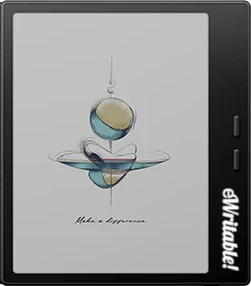 |
| Notes ⓘ Any additional notes | An excellent little e-reader, but the writing experience is poor |
| My rating ⓘ My own subjective rating | Rated |
| Approx. price (USD) ⓘ Approximate price at last check (in USD) | $280* |
| Buy ⓘ A link to the best distributor based on your geographical location | * |
| Buying options ⓘ A list of places to buy the device from | Boox Store (EU)* Boox Store* Amazon* |
| Screen size ⓘ The size of the screen (measured across the diagonal) | 7" |
| Brand | Boox |
| Operating system | Android 13 |
| Screen type ⓘ The type of e-ink screen used | Kaleido 3 |
| Screen resolution (BW) ⓘ Monochrome screen resolution | 1264 x 1680 (300PPI) |
| Screen resolution (Color) ⓘ Color screen resolution | 632 x 840 (150PPI) |
| CPU ⓘ Speed and cores of the CPU | Octa-core |
| CPU Benchmark (single) ⓘ The single core CPU benchmark | 737 |
| CPU Benchmark Multi ⓘ The multi core CPU benchmark | 1713 |
| RAM ⓘ The amount of memory on the device | 4Gb |
| Storage capacity ⓘ The amount of storage capacity on the device | 64Gb |
| Battery ⓘ The capacity of the battery (in milliamps per hour) | 2300mAh |
| Battery life ⓘ Typical battery life (based on some assumptions) | 4.8 days |
| Release year ⓘ The year that the device was launched | 2025 |
| Buy ⓘ A link to the best distributor based on your geographical location | * |
| HARDWARE | Boox Go Color 7 |
| Frontlight ⓘ If the device has its own light source (for reading in dim/dark conditions) | ✓ |
| Color screen ⓘ If the device can display colours | ✓ |
| Fast refresh rate) ⓘ If the device has hardware/software that can improve performance in certain apps (e.g. web browsing, animation etc) | ⨯ |
| Wacom EMR ⓘ If the device uses a Wacom EMR layer for stylus input | ⨯ |
| Speakers ⓘ If the device has onboard an speaker(s) | ✓ |
| Microphone ⓘ If the device has an onboard microphone | ✓ |
| Bluetooth ⓘ If the device has Bluetooth connectivity | ✓ |
| Optional keyboard folio ⓘ If the device has an official folio with built-in keyboard | ⨯ |
| G-Sensor ⓘ If the device automatically re-orientates the screen between portrait/landscape when it is physically rotated | ✓ |
| Ceramic tip ⓘ If the device supports ceramic tips that don't wear down and never need replacing | ⨯ |
| Fingerprint scanner ⓘ If the device has a built-in fingerptint scanner for security | ⨯ |
| MicroSD card slot ⓘ If the device supports MicroSD cards | ✓ |
| Rear camera ⓘ If the device has a rear-facing camera | ⨯ |
| Front camera ⓘ If the device has a front-facing camera | ⨯ |
| Waterproof ⓘ If the device is waterproof (has an IPX rating) | ⨯ |
| Replaceable battery ⓘ If the battery can easily be replaced by the owner | ⨯ |
| Page turn buttons ⓘ Whether it has physical page turn buttons | ✓ |
| Dimensions (w x h) ⓘ Physical dimensions of the tablet (width x height/length in millimetres) | 137 x 156mm |
| Thickness ⓘ The physical thickness/thinness of the tablet (in millimetres) | 6.4mm |
| Weight ⓘ The physical weight of the tablet (in grams) | 195g |
| Weight (with folio) ⓘ The weight of the device when inside the official folio | 305g |
| Weight (with kb folio) ⓘ The weight of the tablet and official keyboard folio (where available) | unknown |
| Tablet rating ⓘ Rating of the tablet (hardware and accessories only) without taking into account the firmware/brand. |
Read review
Rated |
| Buy ⓘ A link to the best distributor based on your geographical location | * |
| SOFTWARE | Boox Go Color 7 |
| Firmware ⓘ The version of firmware currently available (and link to details) | 4.1 |
| Google Play Store ⓘ If the device supports installation of third-party Android apps from the Google Play Store | ✓ |
| Kindle support ⓘ If the device supports the installation of the Kindle app | ✓ |
| Handwriting search ⓘ If the device support searching for word in your handwriting | ✓ |
| Handwriting-to-text conversion ⓘ If the device supports converting your handwriting into text | ✓ |
| Insert shapes ⓘ If the device supports inserting shapes into your notebooks | ✓ |
| Insert images ⓘ If the device supports inserting images into your notebooks | ✓ |
| Draw straight lines ⓘ If the device supports easily drawing straight lines | ✓ |
| Desktop/mobile app ⓘ If the brand has a proprietary app for accessing your books or notebooks from other devices | ⨯ |
| Native apps ⓘ A list of the native apps that come pre-installed with the firmware | E-reading, Note-taking, Web Browser, AI Assistant, BooxDrop, Calendar Memo, RSS Reader, Audio Player, Audio Recorder, Calculator |
| Supported cloud drives ⓘ Cloud drives supported by the firmware (for saving your files externally) | Proprietary, Google Drive, Dropbox, OneDrive, OneNote, WebDav, AliYun, Baidu, Evernote, NutStore, Readwise, Youdao, Zotero |
| Brush types ⓘ A list of the brush types in the note-taking app | Pen, Fountain Pen, Calligraphy Pen, Paintbrush, Ballpoint Pen, Pencil, Marker |
| PRODUCT | Boox Go Color 7 |
| Buying options ⓘ A list of places to buy the device from | Boox Store (EU)* Boox Store* Amazon* |
| Buy ⓘ A link to the best distributor based on your geographical location | * |
| PRODUCT | Boox Go Color 7 |
