

Pros
Tablet:+ Beautifully designed
+ Fantastic keyboard folio
+ Very thin
+ Nice tactile writing feel
+ Accessories feel premium
+ Simple, clean, & intuitive user interface
+ Great desktop/mobile companion apps
+ Wide variety of highly-optimised brush tools
+ Great for text input (using keyboard folio)
+ Document scanner (mobile app)
+ Disk encryption
Firmware review
+ Good returns policy (50-days)
+ ISO27001 security certification
+ Enterprise-level features
+ Decent customer service
+ Notebooks can be edited via desktop/mobile apps (text only, and subscription required)
+ Very comprehensive online knowledgebase
Brand overview
Cons
Tablet:- No frontlight
- Occasional performance bottlenecks
- No additional hardware (speakers, mic, MicroSD, fingerprint scanner etc.)
- Quite expensive (for what it offers)
- Ongoing subscription costs (for some features)
- Lack of versatility
- Unsophisticated reading app
- Limited note-taking features
Firmware review
- Mainly focused on note-taking
- Tied into reMarkable ecosystem
- Monthly subscription required to access certain features
- Accessories are expensive
- Limited firmware capabilities
Brand overview
Great E-Ink Typewriter
TRANSPARENCY NOTICE:
The reMarkable 2 e-ink tablet featured in this article was purchased and paid for by myself.
I have not been paid any money to write this review, however, I may earn a small commission when somebody clicks on a link to the manufacturer and goes on to make a purchase. This does not incur any additional cost the buyer, but goes a long way to helping support this website and my work (for manufacturers that do not agree to my terms of non-interference above, I have to buy their products myself at full cost).
In short, this is my true and honest opinion of the tablet. I will objectively highlight both good and bad points, as well as provide my own subjective perspective.
Design and Build
The reMarkable 2 (rM2) is beautifully presented in a jet-black box. Only when it is taken out of the box, can you appreciate how slim this tablet is, with a thickness of just 4.7mm.


It is apparent that a lot of time and effort has been taken to produce a clean and minimalist design.
The screen is 10.3″ (around the size of an A5 sheet of paper) and is flush with the surrounding off-white bezel, which provides a soft contrast. It has aluminium edging, which is wider on the left-hand side. This metal area feels like it mimics the spine of a book, which adds to the device’s charm, but it also has the practical purpose of housing the USB-C port (at the bottom) and the power button (at the top). Other than the 5-pin Pogo connectors on the left edge (used to connect the optional keyboard folio), there are no other ports or buttons.
It is rigid (like a slate), with very little flexibility, and when it was first released in 2020, it was one of the lightest e-ink tablets on the market – since this time, lighter e-ink tablets have become available and its weight now around average.
Everything about it looks premium quality, from the design to the actual build and machining. It feels solid and robust, and I can attest to its durability because I have carried it around in my rucksack for years (without a folio cover) and it still works absolutely fine and only has a few superficial scratches on the rear panel. Incidentally, the rear panel has four rubber feet at each corner to prevent the tablet from sliding on the desk, which is a useful design feature that not all brands consider.
Whilst I get very excited about all the e-ink tablets I review, there are very few that invoke a deeper emotion in me that makes me just want to touch and hold and look at it for no other reason than to admire the thoughtful design. The rM2 was the first e-ink tablet to trigger this response in me. And, since that time, the Boox Go 10.3 had a similar effect, and (to a lesser extent) the Supernote A6X2 Nomad, and the Viwoods AI Paper.
Overall, it looks very sleek and elegant, is durable, and has a minimalist charm to it.
Hardware Specs
Under the bonnet, the Supernote A5 X runs a 1.2GHz Dual-Core processor, with 1Gb RAM and has 8Gb storage capacity.
Compared to almost all other e-ink tablets, this is very low-spec. However, this needs to be taken in the context of the software it runs. It has a Linux-based operating system, with two apps; one for reading PDFs/ePubs and one for note-taking. It does not support the installation of any other third-party apps.
Because these apps are usually not particularly resource-hungry, the hardware specs are sufficient for running them. Having said that, the reMarkable 2 does sometimes struggle with large PDFs. And it appears that ePubs are converted into PDF format when opened on the device, which can also sometimes result in a performance bottleneck (particularly if you change the font). The primary function of the rM2 (note-taking) usually works without performance issues, though.
For e-ink tablets that do have the capability of running third-party apps (primarily Android tablets), I usually provide CPU benchmarks in this section so that users have an idea of how more CPU-intensive apps might behave. However, because the rM2 can only run its native apps, these are not provided.
On the whole, the CPU and memory provided by the rM2 is comparatively low, but usually enough to run the native note-taking app adequately. The e-reading app performs okay for the most part but does become slow and sluggish at times, particularly when opening large files. The internal storage space is also comparatively small, but should be enough for most user’s note-taking needs.
Screen
The screen is 10.3″ (around A5-sized) and is monochrome with a resolution of 1404 x 1872 (226PPI). It utilises reMarkable’s proprietary CANVAS technology, in combination with e-ink Carta.
It is flush with bezels, and there is “paper-like” film on the surface, which makes writing with stylus feel slightly rougher and grainier rather than a glass-like texture.
There are touchscreen capabilities, and a Wacom EMR layer (so any Wacom-compatible stylus will work fine with it).
There is no frontlight, which has the advantage of text and handwriting feeling closer to the surface of the screen.
Although, the screen was pretty awesome when it was originally released around four years ago, technology has moved on and newer tablets offer screens with better resolutions and higher (300PPI) pixel density. The screen on the reMarkable is still great, but no longer one of the best.
Writing feel
The “paper-like” film on the top of the screen produces a somewhat rough and grainy feel as the stylus nib glides over it.
It also makes a satisfying audible scratching sound – it is not glass-like or slippery like some tablets I’ve reviewed.
The screen is hard, providing a rigid and stable canvas but the nib is soft, so there is no harsh tapping sound when it hits the screen. The nib also tapers to a small rounded point, which provides a decent level of precision when writing.
Both pressure and tilt sensitivity have been implemented in the native note-taking app (dependent on which brush/pen tool is selected) and work excellently – reMarkable probab;y have one of the best implementations of this, which makes for a more natural and authentic writing feel..
There is very little perceived lag when writing – as you move the stylus over the screen, the strokes appear almost immediately. However, newer software updates seem to have introduced an intermittent refresh of the screen when using certain brushes, which creates a visibly noticeable flash that I find very off-putting.
Overall, writing on the reMarkable 2 feels very pleasant and natural but the intermittent refresh detracts from the experience.
Hardware features
On top of the screen and stylus input, the reMarkable 2 does not offer very much more in terms of hardware features.
It has Wifi capability (but no Bluetooth). The USB-C port supports file transfers, however, this must be carried out over a web (HTTP-over-USB) interface. And the five POGO pins on the left edge provide a physical connection to reMarkable’s official keyboard folio (Type Folio).
There’s no option to increase the low storage capacity using a MicroSD card, and there is no g-sensor for automatically rotating the screen between portrait and landscape (although this can be performed manually within the software).
Overall, reMarkable have decided to keep the rM2 very low-spec in terms of additional hardware features, focusing on the note-taking (and typing aspects) only, with no additional distractions.
Battery
The rM2 has a 3000mAh battery.
The table below shows how much battery is depleted by performing certain operations for an hour.
| Test (1hr) | rM2 (% battery used) |
|---|---|
| Note-taking | 4% |
| Reading | 3% |
| Wifi On | +2% |
So, you could expect to drain about 4% of the battery per hour when note-taking, and 3% per hour when reading. With Wifi turned on, the battery will drain an additional 2% per hour.
I calculate typical battery life from these figures by assuming 3 hours of note-taking and 2 hours of reading each day, with the Wifi turned on for 3 hours. Although not relevant for the rM2, for tablets that have a frontlight, I also factor in 2 hours on a medium setting and 2 hours on a full setting.
For the rM2, this works out at about 24% of battery use per day, which would give you 4.2 days of use before it needed to be recharged.
This is around average for the e-ink tablets I’ve tested – you can see how it compares to other tablets here.
Accessories
I find the the reMarkable 2 accessories to be quite expensive for what they are.
Don’t get me wrong – they are very well-made and have a premium quality about them that most other brands do not come close to. But the price-premium that reMarkable add to their styluses and folios does not (in my opinion) reflect the value accurately – it is much higher than I would expect.
Folios
When I first got the reMarkable 2, I bought it with the standard Marker (stylus) and standard folio. A little later, I also bought the Type Folio (with integrated keyboard). However, I have since sold/returned them. At the time, eWritable was a much smaller pet project and I didn’t have time to write a full review of these folios or get any pictures. So, unfortunately, this review is lacking in-depth information about the folios. However, I can say from memory that, like the reMarkable tablet itself, they are very well deigned, have a premium quality to them and look absolutely amazing. In addition, the keyboard on the Type Folio works really well and is probably the best experience I have had of typing on an e-ink tablet.
Stylus
I really like reMarkable’s Standard Marker because of its minimal design.
It is almost cylindrical, with a groove on one side that enables it to fit perfectly onto the side of the tablet, where it is held in place by magnets. The grip is very strong and no amount of shaking the tablet results in the stylus falling off. This is achieved not only through strong magnets, but also because the groove on the stylus has been designed to exactly match the side of the tablet. This is in contrast to other brands (such as Boox) who ship the same stylus with multiple tablets that have different chassis designs – consequently, the stylus does not attach perfectly to them all (the Boox Go 10.3 is the worst example of this mismatch).

The material used on the casing is slightly rough, which offers a really firm grip with the fingers. And, in my opinion, it looks really nice, too.
There’s no bells and whistles on the reMarkable Marker, such as an eraser on the top or a button on the shaft – and, for me, this is a pro rather than a con. My fat fingers always seem to inadvertently activate side buttons without meaning to. However, this is my own personal taste – some people do like to have a physical eraser, and for these users reMarkable sell the Marker Plus.
Because the rM2 uses Wacom-EMR technology, it is possible to use third-party Wacom-compatible styluses.
The Pen Plus uses soft, replaceable nibs, which produce a nice tactile writing feel with the screen (see my remarks about the writing experience above) but they do wear down with use. And if you do a lot of writing like me, you will probably need to replace the nib every couple of months, which is an ongoing cost. However, this is true for the majority of e-ink tablets, barring Supernote styluses, which use ceramic tips that never wear down – unfortunately, these harder tips are not recommended for use with non-Supernote tablets because of the risk of scratching the screen.
On the whole, the reMarkable Marker, is really very good (although I don’t think it commands the premium price reMarkable put on it). It is visually appealing, firmly attaches to the side of the tablet, and feels very pleasant to use. It is one of the best Wacom styluses available.
Software
My review of this tablet should be read in conjunction with my review of the current firmware (see table below), which includes aspects such as the Operating System, User Interface, and Native Apps.
The hardware and software reviews have been separated because the firmware used at the time that this review was written may not be the same firmware being used currently. This could result in the review quickly becoming outdated. Also, as several tablets may use the same firmware, this would mean going back and updating every single tablet review from a particular manufacturer to account for the new firmware. By splitting them up, if there is a firmware update, I am able to make the updates on a single page.
Current versions of this brand’s firmware are shown in the table below, along with the tablets running them.
| My rating | Firmware version | Tablets using this firmware |
|---|---|---|
| 3.22 (current version) Sep 2025 | reMarkable 2 reMarkable Paper Pro Move reMarkable Paper Pro | |
| Older remarkable firmware versions may be found here | ||
Brand
For some people, it is also worth considering the brand as whole, including aspects like customer service, ecosystem, values, and criticisms.
My full overview of the reMarkable brand can be found here, but I have provided a summary below.

+ Good returns policy (50-days)
+ ISO27001 security certification
+ Enterprise-level features
+ Decent customer service
+ Notebooks can be edited via desktop/mobile apps (text only, and subscription required)
+ Very comprehensive online knowledgebase
- Mainly focused on note-taking
- Tied into reMarkable ecosystem
- Monthly subscription required to access certain features
- Accessories are expensive
- Limited firmware capabilities
reMarkable are one of the most well-known e-ink brands thanks (in part) to their excellent marketing campaigns.
They make decent products, but are primarily focused on the writing/annotation/typing experience, so there is very little else they can be used for.
They have decent customer service and the best satisfaction guarantee, accepting returns (for a full refund) up to 100 days after purchase. In addition, they offer perhaps the best desktop/mobile companion that allow you to edit your notebooks (text only) from other devices.
However, their products (accessories, in particular) carry a high premium, and some features are locked behind a monthly subscription paywall.
Final Verdict
The reMarkable 2 and its accessories are exceedingly well designed and built, to the point that I have, on several occasions, just looked at them with awe and wonder (and I don’t say this about many tablets).
The tactile writing feel is really nice, although recent software updates have sullied this somewhat.
But, it is very limited in what it can be used for. There’s no additional hardware (such as frontlight, speakers, MicroSD card slot etc.) and the CPU/RAM are comparatively low compared to other products on the market. There’s no support for third-party apps, and the reading app is very basic and sometimes struggles with larger files. The note-taking app is pretty good, but again there are more feature-rich options available on the market.
However, the rM2 is now four years old, and that has to be taken into account – it really can’t be compared to newer products that have moved forward with hardware. And the reMarkable development team are perhaps restricted in the software they can create because of the rM2’s hardware limitations. In addition, the rM2 was developed to be a minimalist note-taking tablet, so there is good reason for reMarkable to try and keep it as simple and intuitive as possible.
The rM2 does, in my opinion, provide an unparalleled e-ink typing experience when used with their over-priced keyboard folio. And having the ability to continue working on typed documents through the reMarkable Companion apps adds extra functionality that no other brand offers.
But, apart from the narrow set of use cases that involve working on typed documents from multiple devices, I feel that there are far better options for an e-ink tablet.
Tablet Overview
| PRODUCT | reMarkable 2 |
|---|---|
| Product image | [Affiliate link]We may earn a commission if you buy this product 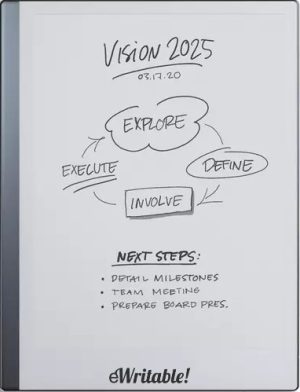 |
| Notes ⓘ Any additional notes | Great E-Ink Typewriter |
| My rating ⓘ My own subjective rating | 👍 Recommended |
| Approx. price (USD) ⓘ Approximate price at last check (in USD) | $480* |
| Buy ⓘ A link to the best distributor based on your geographical location | * |
| Buying options ⓘ A list of places to buy the device from | reMarkable* |
| Screen size ⓘ The size of the screen (measured across the diagonal) | 10.3" |
| Brand | reMarkable |
| Operating system | reMarkableOS |
| Screen type ⓘ The type of e-ink screen used | CANVAS with Carta |
| Screen resolution (BW) ⓘ Monochrome screen resolution | 1404 x 1872 (226PPI) |
| Screen resolution (Color) ⓘ Color screen resolution | - |
| CPU ⓘ Speed and cores of the CPU | 1.2Ghz dual-core |
| CPU Benchmark (single) ⓘ The single core CPU benchmark | unknown |
| CPU Benchmark Multi ⓘ The multi core CPU benchmark | unknown |
| RAM ⓘ The amount of memory on the device | 1Gb |
| Storage capacity ⓘ The amount of storage capacity on the device | 8Gb |
| Battery ⓘ The capacity of the battery (in milliamps per hour) | 3000mAh |
| Battery life ⓘ Typical battery life (based on some assumptions) | 4.8 days |
| Release year ⓘ The year that the device was launched | 2020 |
| Buy ⓘ A link to the best distributor based on your geographical location | * |
| HARDWARE | reMarkable 2 |
| Frontlight ⓘ If the device has its own light source (for reading in dim/dark conditions) | ⨯ |
| Color screen ⓘ If the device can display colours | ⨯ |
| Fast refresh rate) ⓘ If the device has hardware/software that can improve performance in certain apps (e.g. web browsing, animation etc) | ⨯ |
| Wacom EMR ⓘ If the device uses a Wacom EMR layer for stylus input | ✓ |
| Speakers ⓘ If the device has onboard an speaker(s) | ⨯ |
| Microphone ⓘ If the device has an onboard microphone | ⨯ |
| Bluetooth ⓘ If the device has Bluetooth connectivity | ⨯ |
| Optional keyboard folio ⓘ If the device has an official folio with built-in keyboard | ✓ |
| G-Sensor ⓘ If the device automatically re-orientates the screen between portrait/landscape when it is physically rotated | ⨯ |
| Ceramic tip ⓘ If the device supports ceramic tips that don't wear down and never need replacing | ⨯ |
| Fingerprint scanner ⓘ If the device has a built-in fingerptint scanner for security | ⨯ |
| MicroSD card slot ⓘ If the device supports MicroSD cards | ⨯ |
| Rear camera ⓘ If the device has a rear-facing camera | ⨯ |
| Front camera ⓘ If the device has a front-facing camera | ⨯ |
| Waterproof ⓘ If the device is waterproof (has an IPX rating) | ⨯ |
| Replaceable battery ⓘ If the battery can easily be replaced by the owner | ⨯ |
| Page turn buttons ⓘ Whether it has physical page turn buttons | ⨯ |
| Dimensions (w x h) ⓘ Physical dimensions of the tablet (width x height/length in millimetres) | 187 x 246mm |
| Thickness ⓘ The physical thickness/thinness of the tablet (in millimetres) | 4.7mm |
| Weight ⓘ The physical weight of the tablet (in grams) | 400g |
| Weight (with folio) ⓘ The weight of the device when inside the official folio | unknown |
| Weight (with kb folio) ⓘ The weight of the tablet and official keyboard folio (where available) | unknown |
| Tablet rating ⓘ Rating of the tablet (hardware and accessories only) without taking into account the firmware/brand. |
Read review
👍 Recommended |
| Buy ⓘ A link to the best distributor based on your geographical location | * |
| SOFTWARE | reMarkable 2 |
| Firmware ⓘ The version of firmware currently available (and link to details) | 3.22 |
| Google Play Store ⓘ If the device supports installation of third-party Android apps from the Google Play Store | ⨯ |
| Kindle support ⓘ If the device supports the installation of the Kindle app | ⨯ |
| Handwriting search ⓘ If the device support searching for word in your handwriting | ✓ |
| Handwriting-to-text conversion ⓘ If the device supports converting your handwriting into text | ✓ |
| Insert shapes ⓘ If the device supports inserting shapes into your notebooks | ⨯ |
| Insert images ⓘ If the device supports inserting images into your notebooks | ⨯ |
| Draw straight lines ⓘ If the device supports easily drawing straight lines | ✓ |
| Desktop/mobile app ⓘ If the brand has a proprietary app for accessing your books or notebooks from other devices | ✓ |
| Native apps ⓘ A list of the native apps that come pre-installed with the firmware | E-Reading, Note-taking |
| Supported cloud drives ⓘ Cloud drives supported by the firmware (for saving your files externally) | Proprietary, Google Drive, Dropbox, OneDrive, Slack (synchronisation not supported on third-party drives) |
| Brush types ⓘ A list of the brush types in the note-taking app | Ballpoint, Fineline, Pencil, Mechanical Pencil, Highlighter, Marker, Calligraphy, Paintbrush, Shader |
| PRODUCT | reMarkable 2 |
| Buying options ⓘ A list of places to buy the device from | reMarkable* |
| Buy ⓘ A link to the best distributor based on your geographical location | * |
| PRODUCT | reMarkable 2 |
