


Pros
Tablet:+ Excellent CPU Performance
+ Frontlight
+ Color screen
+ Fast refresh rates
+ Android 16
+ Audio (Speakers & Mic)
+ MicroSD card slot
+ Fingerprint scanner
+ Optional keyboard folio
+ Physical page-turn buttons
+ Android (supports 3rd-party apps)
+ Great reading software
+ Fantastic note-taking software
+ Very powerful and versatile
Firmware review
+ On the cutting-edge of e-ink technologies
+ Wide range of products
+ Regular firmware updates
Brand overview
Cons
Tablet:- Darker screen
- Poor battery life
- Stylus storage is fiddly
- Stylus and folio are not great
- Location of USB Port
- Quite heavy
- Steeper learning curve
- Not as intuitive as it could be
- A little more ghosting than I would like (on some models)
- Still no 'Talk Insights' app in Europe a year after it was announced
Firmware review
- Customer support can be variable
- Unfavourable returns policy when buying direct from Boox
Brand overview
Excellent All-Round Color Android Tablet
TRANSPARENCY NOTICE:
The Note Air6 C e-ink tablet featured in this article was sent to me free-of-charge by Boox for review purposes.
Like all brands that send me review units, this was on the understanding that I would maintain full editorial control, and that they would have zero influence over the content I write.
I have not been paid any money to write this review, however, I may earn a small commission when somebody clicks on a link to the manufacturer and goes on to make a purchase. This does not incur any additional cost the buyer, but goes a long way to helping support this website and my work (for manufacturers that do not agree to my terms of non-interference above, I have to buy their products myself at full cost).
In short, this is my true and honest opinion of the tablet. I will objectively highlight both good and bad points, as well as provide my own subjective perspective.
Design and Build
I am not going to spend an enormous amount of time discussing the basic design and construction of the Note Air6 C, largely because Boox has retained essentially the same chassis used for the Note Air5 C. There are a few minor aesthetic alterations, including changes to the colouring of the left bezel, rear panel and pogo pins, but fundamentally this is a very familiar piece of hardware.


That is not necessarily a criticism. This basic chassis, or variations of it, has been used for several generations of the Note Air series, including the Note Air3, Note Air3 C, Note Air4 C and Note Air5 C, and its overall construction remains excellent. The aluminium exterior is precisely machined, with smoothly rounded corners and subtly contoured edges, and I cannot find any obvious imperfections in the finish. There is no audible creaking or rattling when handling it either, which contributes to the impression of a very solidly assembled device.
The combination of the metallic exterior and glass display gives the Note Air6 C quite a rigid, cold feeling in the hand, almost reminiscent of a thin slab of slate. Psychologically, I think this can make it feel more delicate than it actually is. And, compared with tablets that use a more flexible Mobius display, such as the Viwoods AiPaper and Supernote Manta, there is a subconscious sense that the Note Air6 C might shatter rather than flex if subjected to sufficient force. However, my experience with previous generations of the Note Air has taught me that this impression is somewhat deceptive. In practice, these have proven to be solid, durable and robust devices.
The disadvantage of this construction is weight. Compared with some tablets that use lightweight plastic substrates and Mobius displays, the Note Air6 C feels noticeably heavier. It is not excessively cumbersome, but the difference is immediately perceptible when moving between them.
The physical layout is also largely unchanged. Along the top edge is the combined power button and fingerprint scanner. The left edge contains the USB C port for charging and data transfer, alongside the speaker grilles, microphone and microSD card slot. There is nothing on the bottom edge, while the right side houses the page turn buttons and the magnetic attachment point for the stylus.


Unfortunately, retaining the Note Air5 C chassis also means retaining several of its peculiarities. These are not catastrophic problems by any means, but after several generations it is becoming apparent that Boox considers this fundamental design to be sufficiently successful that some of its longstanding irritations are unlikely to disappear anytime soon.
One of these is the location of the USB C port. Because it is positioned on the left edge, it sits against the spine when the tablet is inside the folio. Unlike the NA3C version, newer Note Air folios have a cutout that allows the port to remain accessible when the cover is closed, and (if course) it can also be reached when the folio is completely open. The problem arises while something is actually plugged into it. At that point, you cannot freely open or close the folio because the cable obstructs its movement.

This feels unnecessarily awkward because it could have been avoided simply by placing the USB C port on any of the three exposed edges of the tablet. It is a relatively minor inconvenience, but it is one of those small design decisions that becomes disproportionately irritating precisely because there seems to be no compelling reason for it.
I also have personal grievance with the little orange dot in the top left corner of the front panel. For some reason, my brain persistently interprets this as a visual marker showing me where the power button is located. It is not. The actual button sits a few centimetres to the right.
Even after years of using Note Air devices with this general design, I still instinctively move my finger towards that orange dot whenever I want to turn one on or put it to sleep. Perhaps this is entirely a Me Problem, although I suspect I will not be the only person whose eye is naturally drawn towards it. The dot is actually the beginning of the decorative stripe that continues around onto the rear panel, but its placement makes it look remarkably like a deliberate visual indicator.
This is exacerbated slightly by the power button itself, which sits almost completely flush with the surrounding edge. Aesthetically, this contributes to the clean appearance of the chassis, but tactility suffers as a consequence. Unless you already know precisely where the button is, it can be surprisingly difficult to locate using your fingertips alone.
There are also POGO pins on the rear panel, allowing the Note Air6 C to connect to Boox’s keyboard folio. It appears that a revised keyboard folio is being introduced alongside the new tablet (possibly with a flap to keep it closed) although my Boox representative tells me that it is not substantially different from the Note Air5 C version. I have reviewed that keyboard folio previously and, while it is functional, I was not particularly enamoured with it.
The stylus-storage problem
One area where Boox has actually made a somewhat welcome alteration concerns the magnetic stylus attachment.
One of my biggest complaints about the Note Air5 C was the bizarre positioning of its magnets. The most natural position for the stylus along the right edge caused it to overlap the page turn buttons. Not only could this inadvertently activate the buttons, but the stylus could not sit completely flush against the chassis, compromising an already rather mediocre magnetic connection.
The Note Air6 C partially rectifies this. The magnetic attachment point has been repositioned so that the strongest connection is now further down the right edge. Consequently, the stylus can sit beneath the page turn buttons rather than covering them. It is a small alteration, but unquestionably a more sensible arrangement.

Unfortunately, it only solves part of the problem.
Even with the stylus positioned correctly and sitting more flush against the edge, the magnetic connection still isn’t particularly strong. A modest jolt or shake is enough to dislodge it. This appears to be partly because the magnets themselves are not especially powerful, but the shape of the chassis compounds the problem. The edge is contoured rather than completely flat, allowing the cylindrical stylus to roll forwards onto the front of the tablet or backwards towards the rear, further compromising the magnetic hold.
Boox attempts to compensate for this with a detachable magnetic flap supplied with the folio, but I do not consider this an elegant solution. I will discuss the flap in more detail in the folio section because I have several grievances with it, but even purely as a method of stylus retention it feels unnecessarily cumbersome.
The clip on the Pen3 means that positioning the flap centrally around the stylus does not work particularly well. You can place the flap lower down the pen, although it then looks slightly peculiar, or manoeuvre it underneath the clip. The latter produces a tidier result, but involves more fiddling than should reasonably be necessary simply to put a stylus away.


And that is ultimately my frustration with the entire arrangement. When I finish using a tablet, I want to snap the stylus securely into place, close the cover and carry on with whatever I am doing. With Note Air devices, storing the pen securely becomes a small procedure in itself.
There is also a more concerning consequence of the stylus being able to roll towards the front of the tablet. If the Note Air6 C is inside a bag and another object presses against the stylus while the magnetic flap is holding it in place, the pen can potentially be pushed inwards, lifting the front cover slightly and rolling onto the display. That introduces unnecessary pressure against an E-Ink screen that I would much rather keep protected.

In previous Note Air reviews, I have generally confined these complaints to the accessories section because technically they concern the stylus and folio rather than the tablet itself. This time I think they deserve greater prominence because several iterations have now passed without it being satisfactorily addressed.
Overall, then, the Note Air6 C remains an exceptionally well constructed tablet. The materials feel premium, the machining is precise and the chassis has proven itself to be considerably more durable than its rigid glass and metal construction might initially suggest. But it is also a mature design whose longstanding compromises are becoming increasingly difficult to overlook. Boox has improved the positioning of the stylus magnets, which is welcome, but I would have preferred to see the company use this generation as an opportunity to resolve some of the more persistent ergonomic shortcomings of the tablet-stylus-folio interoperability, rather than simply tweaking them.
Hardware Specs
Internally, the Note Air6 C has received a more substantial upgrade. At its heart is the Qualcomm Dragonwing Q6690 SoC, accompanied by 6GB of RAM and up to 128GB of internal storage. There is also a microSD card slot supporting cards with capacities of up to 2TB, so storage expansion should not realistically be a concern for most users.
The Note Air6 C also incorporates a GPU alongside Boox Super Refresh, more commonly referred to as BSR. This is Boox’s proprietary display technology designed to facilitate faster refresh rates, smoother screen updates and considerably better performance in third party Android applications than would ordinarily be possible on an E-Ink display.
Taken together, these are some fairly formidable specifications for an E Ink tablet.
SIDENOTE: Although BSR means that performance of third-party apps is much-improved compared to e-ink tablets that do not use this proprietary technology, the performance is still nowhere near what you would expect from an LCD/OLED screen. For certain tasks (such as video) there are still inherent issues with image quality and ghosting. However, apps that do not require super-fast movement (such as scrolling down a webpage) are much smoother. You can read more about Super-Fast refresh rates here.
The Qualcomm Dragonwing Q6690 is a more modern and higher performance chipset than the Snapdragon 750G used in the Note Air5 C, and this theoretical improvement was substantiated by my benchmark testing. In Geekbench, the Note Air6 C achieved a single core score of 961 and a multi-core score of 2329.


That represents an improvement of approximately 21% over the Note Air5 C and places the Note Air6 C towards the very top of the devices that I have benchmarked. At the time of testing, the only tablets in my results that have surpassed it are the Bigme B1051C (discontinued), Bigme B10, Boox Tab Ultra C Pro (discontinued) and Boox Tab X C, all of which are themselves high performance E-Ink tablets.
However, benchmark results and everyday usability are not necessarily synonymous, particularly with E-Ink.
In ordinary use, the improvement is considerably more subtle than the 21% figure might suggest. The Note Air6 C does feel slightly snappier when opening and switching between applications, and there is marginally less sluggishness than I experience on the Note Air5 C. However, the difference is not dramatic. When working within Boox’s native applications, I would struggle to reliably distinguish between the two devices based purely on computational performance.
There is an important caveat here, which is that my own Android app usage is relatively undemanding. I do not routinely run particularly resource intensive applications, nor do I habitually have numerous applications operating simultaneously. Someone using the Note Air6 C for more demanding Android software or extensive multitasking may therefore derive considerably greater benefit from the additional processing capability and memory.
This is also a useful illustration of why specifications and benchmark scores need to be considered in context. E-Ink itself remains a limiting factor in the perception of performance. A substantially faster processor does not suddenly make an E-Ink tablet behave like a conventional LCD or OLED tablet because the display technology has fundamentally different characteristics.
Nevertheless, there is no question that the Note Air6 C is an extremely powerful and capable E-Ink device. The Dragonwing processor provides considerably more computational headroom than most users are likely to require for straightforward reading and handwritten note taking, while the combination of 6GB of RAM, BSR and the dedicated GPU makes considerably more sense for people intending to exploit the broader Android capabilities of the tablet.
For existing Note Air5 C owners, however, I would not regard the processor upgrade alone as a compelling reason to replace their current device, unless you are experiencing poor performance with third-party apps. The benchmark improvement is substantial and measurable; the improvement in routine everyday use is considerably more modest.
Screen
The Note Air6 C has a 10.3 inch colour E-Ink display, which is approximately A5 sized and provides a comfortable amount of space for both reading and handwritten notes. It uses a Carta 1200 E-Ink panel combined with a Kaleido 3 colour filter, giving it a monochrome resolution of 2480 × 1860 at 300ppi and a colour resolution of 1240 × 930 at 150ppi.
As with every Kaleido 3 device, there are some unavoidable compromises compared with conventional colour display technologies such as LCD and OLED. Colour resolution is substantially lower, which introduces some visible graininess, and the available colour palette consists of thousands of colours rather than millions. Consequently, colours tend to appear paler, more subdued and less precise than they would on a conventional display.
Personally, I do not regard this as an inherent disadvantage because E-Ink is attempting to provide a fundamentally different experience. However, anyone expecting the vibrancy, saturation or colour accuracy of a modern LCD or OLED tablet is inevitably going to be disappointed.


There is another compromise that is perhaps more significant. Kaleido 3 displays are inherently darker than their monochrome counterparts when the front light is switched off. The colour filter also introduces a subtle ‘screen door‘ effect, and the distinction between dark foreground text and the comparatively grey background is less pronounced. This results in noticeably inferior contrast compared with a good monochrome E-Ink display.
The obvious solution is to use the front light, and in practice I find that I have it switched on to at least a low level for much of the time.
Interestingly, though, the background of the Note Air6 C appears slightly whiter than that of the Note Air5 C when comparing the two devices with their front lights switched off. It is not an enormous difference, but placed alongside one another it is perceptible, and the slightly lighter background consequently produces somewhat stronger contrast.

This initially surprised me because, in terms of the fundamental display specification, the two devices are ostensibly very similar. Late in my testing, however, I discovered that Boox has changed the writing film covering the display. I cannot say with any certainty that this is responsible for the difference in perceived whiteness, but it is one possible explanation.
The writing film is essentially a transparent, non-removable layer applied to the surface of the display to introduce texture and resistance beneath the pen nib. I will discuss the tactile characteristics in more detail in the writing section below, but the difference between the Note Air5 C and Note Air6 C is extremely subtle. If anything, the Note Air6 C feels fractionally smoother, with slightly less friction and texture.
This appears to continue a gradual trend with the Note Air series because I noticed a similar movement towards greater smoothness when comparing the Note Air4 C and Note Air5 C last year. Personally, I do not think that smoother is necessarily better. I prefer a reasonable amount of resistance beneath the nib because it makes handwriting feel more controlled and more reminiscent of pen on paper. Fortunately, the change this year is sufficiently small that I do not regard it as particularly consequential.
Underneath the display is an EMR digitiser for stylus input, and I was genuinely pleased to discover that Boox has retained this technology. I had some concerns that the company might move the Note Air series towards its proprietary active pen technologies, InkSense or InkSpire, given their increasing prevalence across recent Boox devices.
Regular readers will already know my position on this: I strongly prefer EMR. Boox has made considerable improvements to its Active Pen implementations, but for me EMR remains the superior technology for serious handwritten note taking. It does not require the pen to contain a battery, there is an enormous selection of compatible third party styluses and nibs, and I generally find the overall writing experience more dependable.
The display also incorporates a front light with 32 brightness levels, together with adjustable colour temperature. This allows the illumination to move from a cooler white towards a warmer, more reddish hue, which is particularly pleasant when reading at night. Illumination is pleasingly uniform across the display, without any distracting patches or conspicuous inconsistencies that I could discern.
As mentioned previously, I find some degree of front lighting almost essential with Kaleido 3 because of its naturally darker background. However, incorporating a front light introduces another compromise of its own. The additional display layers increase the physical distance between the surface touched by the stylus and the E-Ink panel underneath.
Consequently, there is a slight parallax effect when writing. The nib is touching the outer surface while the digital ink appears fractionally beneath it, rather than seeming to emerge immediately from the point of contact. This can diminish the illusion of writing directly onto paper, particularly if you are accustomed to non front lit E-Ink tablets where the display feels much closer to the surface.
I should emphasise that this sounds considerably worse in description than it feels in practice. Writing on the Note Air6 C is perfectly comfortable, and I very quickly acclimatise to the slight separation. Nevertheless, when moving between it and a thinner, non front lit writing tablet, I can perceive the difference. For me, it removes a small degree of authenticity from the handwriting experience.
Finally, the Note Air6 C also has a capacitive touchscreen, so fingers can be used for navigation, gestures, scrolling and interacting with the Android interface.
Overall, the display is a very good implementation of Kaleido 3, rather than a revolutionary advancement in colour E Ink. The slightly whiter background and improved contrast compared with my Note Air5 C are welcome, but relatively modest refinements. The familiar Kaleido compromises remain: muted colours, lower colour resolution, a darker background and some visible graininess. In return, you get colour while retaining the fundamental characteristics that make E-Ink so pleasant to read for prolonged periods.
Writing feel
There are numerous factors that contribute to the overall handwriting experience on an E-Ink tablet, and the physical sensation beneath the pen is only one component. The rigidity of the display, texture of the writing surface, characteristics of the nib, latency and software implementation all contribute towards how natural and satisfying a device ultimately feels to write on.
As I mentioned previously, the Note Air6 C has a very rigid aluminium and glass display. There is virtually no discernible flex beneath the stylus, giving the underlying surface a solidity that reminds me slightly of writing on a chalkboard.
This is combined with a nib that I would describe as having medium softness and thickness, together with the new writing film covering the display. Boox describes this film as having an optimised texture for a smoother pen on paper experience, and smoother is certainly the operative word. There is some texture beneath the nib, but comparatively little friction, and the stylus glides across the surface quite freely.
Interestingly, the audible feedback is more pronounced than the tactile feedback might suggest. There is a gentle scratching sound as the nib travels across the display, which I actually find rather pleasant. It provides an additional sensory component to the writing experience without becoming excessively loud or distracting.
Taken as a whole, I think the tactile writing experience is very good.
It is not, however, the most precise feeling writing experience I have encountered. The nib is reasonably substantial rather than particularly fine, and the presence of the front light introduces the slight parallax effect that I discussed in the previous section. Consequently, there can be a subtle impression that the physical nib and the digital ink are not occupying precisely the same plane.
I want to emphasise that this is a relatively minor observation rather than a serious criticism. I can write perfectly comfortably and accurately on the Note Air6 C, and I do not find the discrepancy sufficiently pronounced to interfere with my handwriting. Nevertheless, compared with tablets where the writing surface and E-Ink layer feel exceptionally close together, there is a small reduction in that illusion of putting actual ink directly beneath the nib.
The software side of the equation is excellent. Latency within Boox’s native Notes app is extremely low, to the extent that I do not consciously perceive any meaningful delay between moving the stylus and seeing the digital ink appear. There is also a good selection of brushes and writing tools, while pressure sensitivity and tilt sensitivity are supported where appropriate and both respond very naturally.

The stylus itself is something I am rather less enthusiastic about, although I will discuss that separately in the stylus section below. It uses replaceable nibs that gradually wear down through use and therefore need to be replaced periodically.
Despite my reservations about some individual aspects, I genuinely enjoy writing on the Note Air6 C. If I could change one characteristic, though, I would introduce slightly more texture and resistance. For my handwriting style, the relatively smooth surface allows the nib to travel fractionally too quickly. I prefer a little more friction because it gives me greater control over individual strokes and makes the physical sensation feel more deliberate.
This is also one of the most subjective aspects of reviewing an E-Ink tablet. Someone who naturally writes quickly or dislikes substantial resistance beneath the nib may prefer the smoother surface of the Note Air6 C considerably more than I do. Conversely, somebody accustomed to a highly textured writing surface may find it somewhat slippery.
If I were forced to rank the major E-Ink tablets purely according to my personal tactile writing feel preferences, I would probably put Supernote at the top. The Note series would be somewhere around second place for me, approximately alongside or slightly ahead of the Kindle Scribe, followed by Viwoods, and then reMarkable. At the bottom would be the recent Boox devices that use the company’s Active Pen technologies rather than EMR.
That ranking should not be interpreted as an objective hierarchy because handwriting preference is intensely personal. It does, however, illustrate where the Note Air6 C sits for me. It is not quite my favourite writing surface, and I would welcome a little more resistance, but it remains one of the most enjoyable E-Ink tablets I have used for handwriting.
Hardware features
Like the Note Air models that preceded it, the Note Air6 C incorporates a comprehensive collection of hardware features. Individually, many of them are fairly unremarkable, but collectively they contribute enormously to the flexibility of the device, particularly when combined with Android and the ability to install third party applications.
I have already discussed most of the fundamental hardware elsewhere in this review. There is a 10.3 inch colour E-Ink display with an adjustable front light, capacitive touchscreen and EMR digitiser, while internally there is the Qualcomm Dragonwing Q6690, 6GB of RAM, 128GB of storage, a GPU and Boox Super Refresh technology.
Beyond these fundamentals, there is dual band WiFi for network connectivity and Bluetooth for connecting wireless peripherals.
Interestingly, Bluetooth has been upgraded from version 5.1 on the Note Air5 C to Bluetooth 6.0 on the Note Air6 C, something that Boox makes reasonably prominent in its promotional material. Bluetooth 6.0 introduces several technical improvements, including refinements relating to efficiency, latency and device ranging. The latter allows compatible hardware to estimate the distance between Bluetooth devices with considerably greater precision.
In practical terms, however, I would not regard Bluetooth 6.0 as a particularly compelling reason to choose the Note Air6 C over its predecessor. The capabilities of Bluetooth 6.0 are interesting from a technological perspective, but for the sort of things I actually use Bluetooth for (third-party keyboard, headphones, and speakers) on an E-Ink tablet, I have not noticed a transformative difference. The important thing is simply that Bluetooth is there. It allows the Note Air6 C to connect to a broad assortment of peripherals. And because this is an Android tablet, that connectivity can be exploited by third party applications as well as Boox’s own software.
There is also a USB C port, which serves the conventional purposes of charging and transferring data but additionally supports USB OTG. This means compatible USB devices can be connected directly to the tablet. For example, files can be transferred using a USB flash drive, and there is potential to connect other compatible wired peripherals when required.
Audio is provided through integrated stereo speakers. I would not describe the sound quality as exceptional, and anyone particularly concerned about audio fidelity will probably want to use headphones or an external speaker. Nevertheless, the integrated speakers are perfectly adequate for speech, podcasts, audiobooks, videos and occasional music, and their presence makes the Note Air6 C considerably more versatile than an E-Ink tablet without audio hardware.
There is also an integrated microphone. This can be used for recording voice notes and taking advantage of speech recognition and voice-to-text functionality. Again, the significance of having a microphone extends beyond Boox’s native software. Install a compatible Android application for recording meetings, dictating notes or otherwise processing audio, and that application can potentially make use of the tablet’s microphone as well.
An integrated G-Sensor detects the orientation of the tablet, allowing the interface to rotate automatically between portrait and landscape orientations. This is particularly useful when moving between handwritten notes, documents and applications that benefit from a wider display.
Security is augmented by a fingerprint reader incorporated into the power button. It is not an essential feature for me, but it provides a convenient alternative to repeatedly entering a password or PIN and will probably be more valuable for anyone storing more sensitive documents or work related information on the device.
Storage is another area in which the Note Air6 C is particularly generous. The 128GB of internal storage should already be substantially more than most people require for ordinary ebooks, PDFs and handwritten notebooks. However, there is also a microSD card slot supporting cards with capacities of up to 2TB. For somebody maintaining an enormous ebook or document library, storing large quantities of PDFs, or simply wanting substantial local storage without becoming dependent upon cloud services, this is a welcome inclusion.
Finally, there are two physical buttons towards the top of the right edge. Their behaviour varies according to context, with obvious uses including adjusting the volume and turning pages while reading. More interestingly, their long press actions can be customised, which transforms them into a pair of convenient hardware shortcuts.
I have found this surprisingly useful. For example, I have configured one long press to open a scientific calculator app that I installed on the tablet, while the other captures a screenshot. Other users could configure them around their own workflows, effectively providing immediate physical access to frequently used applications or functions.
This abundance of connectivity and additional hardware is one of the Note Air6 C’s greatest strengths. A microphone, speakers, Bluetooth, WiFi, USB OTG, expandable storage, fingerprint reader, G-Sensor, physical buttons, touchscreen and EMR digitiser might individually sound like a checklist of relatively mundane features. In combination with Android, however, they make the Note Air6 C considerably more adaptable than a device designed solely for reading and handwriting.
That distinction is important. The Note Air6 C is not simply an electronic notebook with a few supplementary features bolted onto it. It is much closer to a general purpose Android tablet built around an E-Ink display. That inevitably introduces complexity (which I discuss in my firmware review), but it also means that there are remarkably few occasions when I find myself wanting to do something and discover that the necessary hardware simply isn’t there.
Battery
The Note Air6 C uses a 3700mAh battery, which is the same capacity used by its immediate predecessors. Given the more powerful processor in this generation, I was particularly interested to discover whether the additional performance would result in greater power consumption, or whether improvements in the efficiency of the newer chipset might compensate for it.
In general, I expect considerably shorter battery life from an Android E-Ink tablet using a GPU and accelerated refresh technology than I would from a comparatively simple ereader or electronic notebook. Technologies such as BSR provide tangible benefits in responsiveness and refresh performance, but inevitably require additional power to operate.
Even with those expectations, however, my results from the Note Air6 C were disappointing.
The results of my battery testing are shown in the table below.
| Test (1hr) | NA6C (% battery used) |
|---|---|
| Reading | 4% |
| Note-taking | 10% |
| Idle | 2% |
| Wifi On | +0% |
| Frontlight (medium) | +0% |
| Frontlight (full) | +14% |
Perhaps the strangest result was the power consumption while the tablet was doing essentially nothing. The Note Air6 C consistently depleted approximately 2% of its battery every hour while idle.
What makes this particularly peculiar is that changing some of the obvious power consuming variables appeared to make virtually no difference. With WiFi and Bluetooth disabled and the front light completely switched off, I recorded approximately 2% consumption per hour. With WiFi and Bluetooth enabled and the front light at a medium level, I still recorded approximately 2% per hour.
That is substantially higher than I would ordinarily expect from an idle E-Ink tablet. I would normally anticipate negligible consumption whilst idling, perhaps around 1% per hour at most and potentially considerably less, with features such as wireless connectivity and illumination introducing additional consumption.
For whatever reason, that is not what I observed with the Note Air6 C. There appears to be a relatively substantial underlying level of power consumption while the tablet is awake, regardless of whether several of its peripheral features are actually being used.
Reading within Boox’s native reading application resulted in approximately 4% battery consumption per hour. If we regard the 2% idle consumption as a baseline, this could be conceptualised as roughly another 2% per hour attributable to reading, although I should emphasise that this is an interpretation of the measurements rather than something I can definitively establish.
The most concerning result came from handwritten note taking.
Using the native Notes application, I recorded battery consumption of approximately 10% per hour. Again, if the 2% idle figure is treated as a baseline, that would suggest something in the region of an additional 8% per hour while actively writing. Whatever way the numbers are interpreted, 10% total consumption per hour is exceptionally high for one of the principal activities this tablet is designed to perform.
Maximum front light brightness was similarly expensive, adding approximately 14% per hour to power consumption during my testing. Fortunately, this particular figure concerns me considerably less because I cannot envisage many circumstances in which I would actually need to use the front light at maximum intensity. It is extraordinarily bright at its highest setting, and considerably lower levels provide more than sufficient illumination in almost every environment in which I would realistically use the tablet.
More encouragingly, using the front light at approximately medium brightness did not produce a measurable increase over the 2% per hour consumption I was already observing while idle. Consequently, there appears to be little reason to avoid moderate front light use purely for the sake of conserving battery.
Putting these measurements into a more realistic daily scenario illustrates the problem rather starkly. Assuming approximately three hours of handwritten note taking and three hours of reading during a day, my figures suggest battery consumption of around 42%.
That equates to a little over two days of comparable usage between charges, or approximately 2.4 days mathematically. For an E-Ink device, that is poor, and places the Note Air6 C amongst the weakest tablets I have tested in terms of battery endurance.
The principal culprit appears to be note taking. Reading at approximately 4% per hour is not especially alarming for a powerful Android E-Ink tablet using BSR, but consuming approximately 10% per hour while using the native Notes application is much more difficult to overlook.
There is, however, one significant caveat.
I received my Note Air6 C before its official launch and these tests were conducted using the firmware available immediately prior to release (v4.3-rel). With both the Note Air4 C and Note Air5 C, Boox subsequently released firmware updates that addressed battery related issues soon after launch. It is therefore entirely possible that some of the consumption I am seeing here is attributable to software optimisation rather than an unavoidable characteristic of the hardware.
I hope that proves to be the case, particularly because the unusually high idle and note taking consumption suggest that there may be considerable scope for optimisation.
Nevertheless, I can only review the device that is actually in my hands and report the results that I obtain. At the time of writing, which is the day before the Note Air6 C officially launches, its battery life is very poor. The combination of approximately 2% hourly consumption while idle and approximately 10% per hour during handwritten note taking is particularly disappointing for a device whose primary purposes include precisely that activity.
If Boox releases a firmware update that materially improves power consumption, I will repeat these tests and update this section accordingly. I sincerely hope that happens, because battery endurance is currently one of the most conspicuous weaknesses of an otherwise extremely capable tablet.
Accessories
The NA6C shipped with a folio cover, Pen3 stylus and 5x spare marker tips/nibs.
I have been told that there will be a new keyboard folio for the NA6C at some point, but it will not be significantly different from the one shipped with the NA5C (which I reviewed here).
Pen 3 Stylus
The stylus supplied with the Note Air6 C is almost identical to the Pen3 that accompanied the Note Air5 C. The principal visual difference is some revised colouring around the clip and cap, which now has a subtle blue/purple tint. Beyond that, for all practical purposes, this is the same Pen3.
The body is almost cylindrical, with a flattened edge that aligns with the magnetic attachment point on the side of the tablet. I have already discussed my frustrations with the magnetic connection in the Design and Build section, so I will try not to repeat them here.


The shaft tapers towards the nib at the bottom, while at the opposite end is a removable cap incorporating a pocket clip. Construction is predominantly hard plastic and, although it feels reasonably substantial, it does not have the particularly luxurious feel that might be expected from the stylus supplied with a premium tablet.
One considerable advantage, however, is that this remains an EMR stylus.
I have made my preference for EMR abundantly clear elsewhere on eWritable, but it is worth reiterating here because Boox has increasingly adopted Active Pen technologies (InkSense/InkSpire) on some of its other devices. An EMR stylus does not contain a battery and consequently never needs charging. In my experience, EMR also provides excellent accuracy and considerably greater interoperability between devices. So, there is an enormous ecosystem of compatible EMR pens and nibs available if the supplied Pen3 is not to your liking.
The nib itself is relatively soft, which means there is none of the conspicuous tapping that can occur when a harder tip repeatedly makes contact with a rigid glass display. Combined with the writing film on the Note Air6 C, it produces the pleasant writing sensation I described previously. However, these nibs are consumable. They gradually wear down through use and eventually need replacing. This is common to the majority of E-Ink tablet styluses, although there are exceptions such as the ceramic nibs used by Supernote and Viwoods.
In terms of actual writing performance, I have very few complaints. Boox’s native Notes software is sophisticated, latency is extremely low and there is an extensive selection of brushes. Pressure sensitivity and tilt sensitivity are implemented where appropriate and work very well. Consequently, the Pen3 is technically a very capable writing instrument.
There is no eraser on the opposite end and there are no buttons on the shaft. Some people will regard those omissions as disadvantages, but personally I do not. Boox provides software alternatives including Scribble-Erase and Smart-Lasso, which substantially reduce my need for physical stylus controls. I also have an unfortunate tendency to press side buttons inadvertently while writing, and some styluses with integrated erasers have a slight internal rattle that I find irritating. For my own preferences, therefore, the simplicity of the Pen3 is actually an advantage.
Unfortunately, the ergonomics are less convincing.
The Pen3 is reasonably comfortable for shorter periods of writing, but it is noticeably top-heavy. During prolonged note taking I can feel the additional strain in my fingers and hand, and this is where I think the Pen3 actually represents a backwards step from its predecessor, the Boox Pen Plus.

Fundamentally, the Pen3 and Pen Plus provide essentially the same writing experience. They use the same nibs and, as far as I can discern, the internals are functionally equivalent. The important differences concern the physical construction surrounding that technology.
And, in my opinion, the Pen Plus is better.
It is lighter, has a more comfortable grip and, most importantly, is much better balanced. The Pen3 concentrates too much of its weight towards the top of the shaft, and I find this increasingly noticeable during longer writing sessions. The Pen Plus is a simpler stylus, but ergonomically I prefer it.
The obvious functional improvement introduced by the Pen3 is its removable cap. Detach it and you will find three replacement nibs stored inside the barrel.
Theoretically, I absolutely love this idea.
Replacement nibs are tiny, easily misplaced and precisely the sort of accessory that you inevitably need when you cannot remember where you put them. Keeping three spares inside the stylus itself is an extremely practical solution. I have seen essentially the same concept implemented by Penstar, where it works extremely well.
Unfortunately, Boox’s implementation is considerably less successful.
The Pen3 cap is retained primarily by a magnetic connection. Under ordinary circumstances this seems perfectly adequate, but the problem becomes apparent when you actually use the clip. Because the clip is attached to the removable cap rather than the main barrel, any force exerted through the clip is effectively pulling against the connection holding the stylus together.
I have experienced the consequences of this several times. When retrieving the Note Air6 C from my rucksack, I have occasionally discovered that the cap remains attached to the folio’s magnetic retaining flap while the rest of the Pen3 has detached and disappeared somewhere into the depths of my bag.
This is annoying enough in itself, but separating the barrel also exposes the spare nibs. Inevitably, those tiny nibs can then become lost or damaged during transit, as happened to the ones shown in my photograph.


Paradoxically, the cap can also be frustratingly difficult to remove when you actually want to remove it. There is a very slight rotational movement that can make the cap feel as though it has locked into position, although I am not convinced this is an intentionally engineered locking mechanism so much as a fortuitous consequence of the construction. I have found that the easiest technique is to gently twist the cap backwards and forwards while pulling it away from the barrel. Even then, it occasionally becomes stubborn. The temptation is to apply more pulling force, at which point the cap can suddenly release and propel the three spare nibs across the room.
This exposes another questionable design decision: nothing actually retains the nibs inside their storage holes once the cap has been removed. Turn the stylus in the wrong direction and gravity simply causes them to fall out.
These might sound like trivial complaints individually, but collectively they transform what should have been a clever and convenient feature into something unnecessarily frustrating.
The comparison with Penstar is particularly instructive because its solution demonstrates that the underlying concept is perfectly sound. Its cap screws onto the stylus using a conventional thread, making accidental separation extremely unlikely while still allowing straightforward intentional access. The replacement nibs are also held tightly within their storage positions rather than simply dropping out.
It is essentially the same idea, but implemented properly, and that relatively small difference in engineering makes an enormous difference in everyday use.
The clip introduces yet another problem when used with the Note Air6 C folio. As discussed previously, the folio uses a detachable magnetic flap to secure the stylus. Because the Pen3’s clip occupies the position where that flap would naturally wrap around the centre, the flap either has to sit further down the shaft, where it looks slightly awkward, or be manoeuvred underneath the clip (refer to the pics in the design section.)
The latter arrangement looks tidier, but actually getting everything into position is unnecessarily fiddly because neither the stylus nor the detachable flap is securely fixed while you are attempting to align them. Putting the tablet away should involve snapping the pen into place and closing the cover. Instead, I frequently find myself fiddling with the stylus, clip and magnetic flap until everything sits correctly.
Ultimately, I have no substantial criticism of the Pen3 as a writing instrument. The EMR technology is excellent, the nib feels pleasant against the display and its integration with Boox’s note taking software provides a responsive and sophisticated handwriting experience.
My criticism is of the physical design surrounding that excellent underlying technology.
The Pen Plus was lighter, better balanced and more comfortable in my hand. In theory, the Pen3 compensates for those ergonomic regressions by adding a useful clip and an ingenious method of carrying replacement nibs. In practice, those additions introduce more problems than they solve.
I certainly would not describe the Pen3 as a bad stylus. It writes extremely well. But given the choice between it and the older Pen Plus, I would choose the Pen Plus. Sometimes additional functionality constitutes genuine progress; sometimes a simpler design was already the better solution.
Folio
The protective folio is another area where Boox had an opportunity to make some meaningful improvements to the Note Air6 C but has instead retained essentially the same design supplied with the Note Air5 C. The most obvious difference is cosmetic, with the previous orange colouring replaced by brown, but functionally very little has changed.


At its most basic, the folio consists of two panels joined by a central spine, creating a conventional book style cover. The Note Air6 C attaches magnetically to the interior rear panel, and this aspect of the design works very well. The magnetic connection is sufficiently strong that I have never been concerned about the tablet accidentally detaching during transit, while deliberate removal remains straightforward and requires no clips, catches or awkward plastic retainers.
There is also a considerably weaker magnetic connection between the top right corner of the tablet and the front panel. This acts as a rudimentary clasp when the folio is closed. It is not especially strong, but it provides just enough resistance to prevent the cover casually falling open when the separate magnetic flap is not being used. More on that flap shortly….
The front panel incorporates several folds that allow it to be transformed into a stand, positioning the Note Air6 C in landscape orientation at an angle of approximately 60 degrees. This is adequate for relatively passive activities such as reading or watching something, but stability is mediocre. As soon as I start tapping or swiping the screen, the entire arrangement has a tendency to move and wobble.


The experience is considerably better when interaction with the touchscreen is unnecessary. Pair the tablet with a Bluetooth keyboard, mouse or page turner and the stand becomes more practical because you are no longer repeatedly disturbing it. Nevertheless, I would have preferred a more substantial and stable arrangement.
As mentioned previously, there is a cutout in the spine providing access to the USB C port while the folio is closed. The port is similarly accessible when the cover is fully open. The problem arises when a cable is actually connected because it then prevents the folio from being freely opened or closed. This is fundamentally a consequence of the USB port being positioned on the only edge of the tablet permanently enclosed by the folio’s spine. Locating it on any of the other three edges would have eliminated the problem entirely.
As a protective cover, however, I have no significant complaints. I have been using essentially the same folio with my Note Air5 C for around a year, and it has done its primary job perfectly well. The tablet has remained protected and I have encountered no durability problems that would make me reluctant to trust the Note Air6 C to the new version. Aesthetically, I would not describe it as particularly attractive, but neither is it offensive. It is functional and reasonably unobtrusive.
Unfortunately, things deteriorate considerably when we get to stylus storage. Boox’s solution is a completely detachable magnetic flap designed to perform two jobs simultaneously. It acts as a clasp to hold the folio closed and wraps around the Pen3 to prevent the stylus from becoming detached from the side of the tablet.
Conceptually, this sounds perfectly reasonable. In practice, it is just a massive ball ache.
The first problem is that the flap is completely detachable. When I open the tablet and start using it, I have to remove the flap and put it somewhere. It becomes another small component sitting on my desk, waiting to be knocked onto the floor, misplaced or magnetically attached to some nearby metallic object. There is no obvious place to store it while the tablet is in use either. Attaching it magnetically to the rear of the folio would seem like the obvious solution, except doing so can interfere with the EMR digitiser and create areas of the display where the stylus does not function correctly.
So I take it off and put it somewhere else.


Then, when I finish using the tablet, the whole process has to be reversed, and this is where something that should be completely effortless becomes an irritating little rigmarole. What’s more, the two sides of the magnetic flap snap together, so i have to add prising them apart to the routine.
I have to decide how I am going to arrange the flap and stylus. I can attach the flap first and attempt to feed the Pen3 through it. Alternatively, I can attach the stylus first and then manoeuvre the flap around it. Because of the clip on the Pen3, I then have to decide whether to work the flap underneath the clip, position the clip over the flap, or simply move the flap further down the shaft where it no longer sits centrally. The last option is probably the easiest, but it looks slightly peculiar. The other arrangements look tidier but require more fiddling.
None of these operations is particularly difficult. That is almost beside the point. The problem is that none of them should be necessary. Putting away an electronic notebook should be almost unconscious: attach the stylus, close the cover and carry on with your day. Instead, the Note Air6 C introduces a small but persistent point of friction into something I might do numerous times throughout the day. And small points of friction become disproportionately irritating through repetition.
This also compounds the weaknesses of the Pen3 itself. As discussed in the previous section, the clip is attached to a magnetically detachable cap, while the stylus has a relatively weak magnetic connection with the tablet. The folio then attempts to compensate for that weak connection using another completely detachable magnetic component. Rather than the individual parts complementing one another, each design decision seems to create another problem that requires an additional workaround.
Taken as an overall system for storing and securing the stylus, I think it is poorly conceived.
I am being considerably more critical of this arrangement than I was when reviewing the Note Air5 C, despite many of the same problems being present on that device. There is a reason for that. When I first encountered the design, I regarded many of these irritations as imperfections that might reasonably be addressed in the next iteration.
Almost a year later, the Note Air6 C retains essentially the same arrangement. That is particularly frustrating because Boox has already demonstrated that it can design a substantially better folio.
The cover supplied for earlier models such as the Note Air3 C and Note Air4 C was considerably more versatile. It supported three different stand configurations, including a portrait orientation, and I found it appreciably more stable when used as a portrait stand. More importantly, its magnetic stylus retaining flap was permanently integrated into the folio rather than being a separate component that had to be removed, stored and reattached every time the tablet was used.
Even that solution was not perfect. In my Note Air4 C review I said that I would still prefer a simple pen loop, and I continue to think that would be a more elegant solution. Nevertheless, the older folio was considerably better than what has replaced it.
That makes the current design feel less like an unavoidable compromise and more like an unnecessary regression.
Overall, the Note Air6 C folio performs its most fundamental responsibility perfectly adequately. It covers the display, provides reasonable physical protection and attaches securely to the tablet. If that were its only purpose, I would have relatively few complaints.
But a folio for a handwriting tablet also needs to accommodate the stylus elegantly, and this one does not. The detachable magnetic flap is inconvenient to store while the tablet is being used, fiddly to reposition afterwards and interacts poorly with the Pen3’s clip. Combined with the relatively weak magnetic stylus attachment, the entire storage arrangement feels unnecessarily convoluted.
This might sound like an excessive amount of criticism for a small magnetic strip of material, but it is precisely the sort of design detail that specifications cannot communicate. I interact with the folio and stylus every single time I start or finish using the Note Air6 C. After enough repetitions, that minor inconvenience becomes genuinely frustrating.
Software
My review of this tablet should be read in conjunction with my review of the current firmware (see table below), which includes aspects such as the Operating System, User Interface, and Native Apps.
However, it is worth noting that the NA5C runs a later version of Android than its predecessors (Android 16. This (potentially) means that it will have more security updates and better compatible with third-party apps.
The hardware and software reviews have been separated because the firmware used at the time that this review was written may not be the same firmware being used currently. This could result in the review quickly becoming outdated. Also, as several tablets may use the same firmware, this would mean going back and updating every single tablet review from a particular manufacturer to account for the new firmware. By splitting them up, if there is a firmware update, I am able to make the updates on a single page.
Current versions of this brand’s firmware are shown in the table below, along with the tablets running them.
| My rating | Firmware version | Tablets using this firmware |
|---|---|---|
| 4.3 (current version) Sep 2026 | Boox Note Air6 C Boox Note Mini C Boox Palma 3 | |
| 4.2 (current version) Apr 2026 | Boox Go 10.3 Boox Go 10.3 Gen 2 Boox Go 10.3 Gen 2 Lumi Boox Note Max Boox Palma 2 Pro Boox Go 6 Gen 2 Boox Tab X C Boox Note Air5 C Boox Tab Ultra C Pro Boox Go 7 Boox Go Color 7 | |
| Older Boox firmware versions may be found here | ||
Brand
For some people, it is also worth considering the brand as whole, including aspects like customer service, ecosystem, values, and criticisms.
My full overview of the Boox brand can be found here, but I have provided a summary below.
Boox*

+ On the cutting-edge of e-ink technologies
+ Wide range of products
+ Regular firmware updates
- Customer support can be variable
- Unfavourable returns policy when buying direct from Boox
Boox are a well-established Chinese brand who manufacture a wide range of tablets that are very versatile and can be used for variety of tasks.
Customer support is okay (not the worst, but not the best either), and there are concerns about them violating the GPL licence by not publicly releasing code they have modified for the Linux kernel.
Final Verdict
After spending considerable time with the Note Air6 C, I find myself with slightly conflicting feelings about it. On the one hand, I would have liked this generation to bring a more substantial redesign, particularly concerning the Pen3, folio and stylus storage system. These are longstanding irritations that Boox had an opportunity to address, and instead they have largely been carried forward from the Note Air5 C.
On the other hand, those frustrations should not overshadow the fact that the Note Air6 C is an exceptionally capable E-Ink tablet.
Its greatest strength is versatility. The colour display, front light, powerful processor, 6GB of RAM, BSR, expandable storage, speakers, microphone, Bluetooth, WiFi, USB OTG, physical buttons, EMR stylus support and access to Android applications combine to create a device that can accommodate an enormous variety of different workflows.
In fact, I think the Note Air6 C is probably about as close as you can currently get to a conventional Android tablet while retaining the fundamental advantages of an E-Ink display. It can function as an electronic notebook and ereader, but those descriptions substantially understate its capabilities. With the appropriate applications and peripherals, it can become a document reader/writer, research tool, writing machine, productivity tablet, web browser, and even a lightweight laptop substitute.
The improved processor strengthens that proposition. Benchmark performance is approximately 21% higher than the Note Air5 C in my testing, placing the Note Air6 C amongst the most powerful E-Ink tablets I have benchmarked. The difference is relatively subtle during straightforward reading and note taking, but users running more demanding Android applications or undertaking substantial multitasking have a much stronger reason to choose the Note Air6 C over its predecessor.
Unfortunately, that additional capability appears to come with a substantial caveat: battery life.
My testing produced some very disappointing results, particularly the approximately 10% battery consumption per hour while using the native Notes application. Based on my standard scenario of three hours of reading and three hours of note taking each day, I would expect to consume around 42% of the battery. For an E-Ink tablet, there are plenty of other options that are more power efficient – even other Android tablets with Super-fast refresh technology.
There is a reasonable possibility that this situation will improve. Boox addressed early battery issues on previous Note Air generations through firmware updates, and I am testing the Note Air6 C immediately before its official release. If a forthcoming update substantially reduces its power consumption, my assessment of the device will become considerably easier.
Because despite the battery issue, it is a fantastic tablet.
I still want Boox to rethink the Pen3 and folio. I would like stronger and simpler stylus retention, a better balanced pen and a folio that does not turn putting the tablet away into an unnecessary little procedure. I would also have welcomed a more ambitious reconsideration of a chassis that has now persisted across several generations.
But these criticisms concern the ergonomics surrounding an otherwise enormously accomplished device. The Note Air6 C is fast, feature rich, highly configurable and remarkably versatile, while retaining the excellent EMR handwriting experience that I was particularly pleased to see Boox preserve. And there’s no reason why the tablet cannot be used with the older Boox Pen Plus and NA4C folio (providing you can get hold of these discontinued accessories).
For existing Note Air5 C owners, I do not think this is an automatic upgrade. If your current tablet already does everything you need, the improvements are unlikely to transform your experience. For users who can exploit the additional processing power, however, the Note Air6 C makes a considerably stronger case for itself.
And for somebody buying a new colour E Ink tablet, the decision is even more interesting. The Note Air6 C takes an already excellent formula and gives it substantially more computational headroom without fundamentally compromising what made the Note Air series so useful in the first place.
At the moment, the battery performance prevents me from recommending it without qualification. But if Boox can resolve that issue through firmware, I expect the Note Air6 C to replace the Note Air5 C in my Best E-Ink tablet recommendations.
That is perhaps the most succinct way I can summarise my experience with it. Boox has not redesigned everything I wanted it to redesign, and in a few areas I think the company has persisted with solutions that are demonstrably inferior to those it used in the past. Nevertheless, the Note Air6 C remains one of the most complete, powerful and versatile E-Ink tablets I have used.
Fix the battery life, and it becomes very difficult to beat.
Buying options
The Boox Note Air6C can be purchased from:
- The Boox Global Store*
- The Boox Euro Store*
- Some Amazon Stores*
When buying directly from Boox, you get the folio and spare stylus tips thrown in for free. With Amazon, you get just the tablet at the same price and have to purchase the folio/tips separately, which adds to the total cost, however you get a much easier returns process if there are any issues with the device, so you do have more peace of mind.
Tablet Overview
| PRODUCT | Boox Note Air5 C |
|---|---|
| Product image | [Affiliate link]We may earn a commission if you buy this product 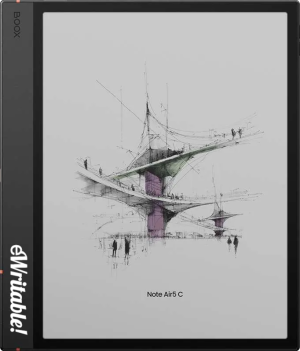 |
| Notes ⓘ Any additional notes | Excellent All-Round Color Android Tablet |
| My rating ⓘ My own subjective rating | Rated |
| Awards ⓘ eWritable Awards: There are gold and silver medals for a range of categories | 🏆WINNER Best All-Round Colour 🏆WINNER Best Laptop Replacement |
| Approx. price (USD) ⓘ Approximate price at last check (in USD) | $530* |
| Buy ⓘ A link to the best distributor based on your geographical location | * |
| Buying options ⓘ A list of places to buy the device from | Boox Store* Amazon* E-Reader (CA)* Boox Store (EU)* eBay* |
| Screen size ⓘ The size of the screen (measured across the diagonal) | 10.3" |
| Brand | Boox |
| Operating system | Android 15 |
| Screen type ⓘ The type of e-ink screen used | Kaleido 3 |
| Screen resolution (BW) ⓘ Monochrome screen resolution | 1860 x 2480 (300PPI) |
| Screen resolution (Color) ⓘ Color screen resolution | 930 x 1240 (150PPI) |
| CPU ⓘ Speed and cores of the CPU | 2.0GHz Octacore |
| CPU Benchmark (single) ⓘ The single core CPU benchmark | 796 |
| CPU Benchmark Multi ⓘ The multi core CPU benchmark | 1930 |
| RAM ⓘ The amount of memory on the device | 6Gb |
| Storage capacity ⓘ The amount of storage capacity on the device | 64Gb |
| Battery ⓘ The capacity of the battery (in milliamps per hour) | 3700mAh |
| Battery life ⓘ Typical battery life (based on some assumptions) | 4.8 days |
| Release year ⓘ The year that the device was launched | 2025 |
| Buy ⓘ A link to the best distributor based on your geographical location | * |
| HARDWARE | Boox Note Air5 C |
| Frontlight ⓘ If the device has its own light source (for reading in dim/dark conditions) | ✓ |
| Color screen ⓘ If the device can display colours | ✓ |
| Fast refresh rate) ⓘ If the device has hardware/software that can improve performance in certain apps (e.g. web browsing, animation etc) | ✓ |
| Wacom EMR ⓘ If the device uses a Wacom EMR layer for stylus input | ✓ |
| Speakers ⓘ If the device has onboard an speaker(s) | ✓ |
| Microphone ⓘ If the device has an onboard microphone | ✓ |
| Bluetooth ⓘ If the device has Bluetooth connectivity | ✓ |
| Optional keyboard folio ⓘ If the device has an official folio with built-in keyboard | ✓ |
| G-Sensor ⓘ If the device automatically re-orientates the screen between portrait/landscape when it is physically rotated | ✓ |
| Ceramic tip ⓘ If the device supports ceramic tips that don't wear down and never need replacing | ⨯ |
| Fingerprint scanner ⓘ If the device has a built-in fingerptint scanner for security | ✓ |
| MicroSD card slot ⓘ If the device supports MicroSD cards | ✓ |
| Rear camera ⓘ If the device has a rear-facing camera | ⨯ |
| Front camera ⓘ If the device has a front-facing camera | ⨯ |
| Waterproof ⓘ If the device is waterproof (has an IPX rating) | ⨯ |
| Replaceable battery ⓘ If the battery can easily be replaced by the owner | ⨯ |
| Page turn buttons ⓘ Whether it has physical page turn buttons | ✓ |
| Dimensions (w x h) ⓘ Physical dimensions of the tablet (width x height/length in millimetres) | 192 x 225mm |
| Thickness ⓘ The physical thickness/thinness of the tablet (in millimetres) | 5.8mm |
| Weight ⓘ The physical weight of the tablet (in grams) | 440g |
| Weight (with folio) ⓘ The weight of the device when inside the official folio | unknown |
| Weight (with kb folio) ⓘ The weight of the tablet and official keyboard folio (where available) | unknown |
| Tablet rating ⓘ Rating of the tablet (hardware and accessories only) without taking into account the firmware/brand. |
Read review
Rated |
| Buy ⓘ A link to the best distributor based on your geographical location | * |
| SOFTWARE | Boox Note Air5 C |
| Firmware ⓘ The version of firmware currently available (and link to details) | 4.2 |
| Google Play Store ⓘ If the device supports installation of third-party Android apps from the Google Play Store | ✓ |
| Kindle support ⓘ If the device supports the installation of the Kindle app | ✓ |
| Handwriting search ⓘ If the device support searching for word in your handwriting | ✓ |
| Handwriting-to-text conversion ⓘ If the device supports converting your handwriting into text | ✓ |
| Insert shapes ⓘ If the device supports inserting shapes into your notebooks | ✓ |
| Insert images ⓘ If the device supports inserting images into your notebooks | ✓ |
| Draw straight lines ⓘ If the device supports easily drawing straight lines | ✓ |
| Desktop/mobile app ⓘ If the brand has a proprietary app for accessing your books or notebooks from other devices | ⨯ |
| Native apps ⓘ A list of the native apps that come pre-installed with the firmware | E-reading, Note-taking, Web Browser, AI Assistant, BooxDrop, Calendar Memo, RSS Reader, Audio Player, Audio Recorder, Calculator |
| Supported cloud drives ⓘ Cloud drives supported by the firmware (for saving your files externally) | Proprietary, Google Drive, Dropbox, OneDrive, OneNote, WebDav, AliYun, Baidu, Evernote, NutStore, Readwise, Youdao, Zotero |
| Brush types ⓘ A list of the brush types in the note-taking app | Pen, Fountain Pen, Calligraphy Pen, Paintbrush, Ballpoint Pen, Pencil, Marker |
| PRODUCT | Boox Note Air5 C |
| Buying options ⓘ A list of places to buy the device from | Boox Store* Amazon* E-Reader (CA)* Boox Store (EU)* eBay* |
| Buy ⓘ A link to the best distributor based on your geographical location | * |
| PRODUCT | Boox Note Air5 C |
